
 HOME
HOME
TrackApproach
Function
With the conveyor catch-up motion, move a robot arm to the approach position that is apart from the tracking target work by specified distance.
Syntax
TrackApproach motion interpolation, reference position, approach length
[, motion option]
Guaranteed Entry
- Motion interpolation
- Designate a motion interpolation method: "P"/"PTP" for PTP interpolation motion, or "L" for CP interpolation motion.
- Reference position
- Specify position type data that stands for a tracking target work obtained by "TrackTargetPos".
For a reference position, it is possible to specify position type data that is offset in specified position/attitude from position type data obtained by "TrackTargetPos". - Approach length
- Designate an approach length by single precision real number type data. Target position option can be added to the approach length.
- Motion option
- A motion option can be specified.
Description
With the conveyor catch-up motion, move a robot arm to the approach position that is apart from the tracking target work by specified distance.
If the position type data obtained by "TrackTargetPos" is specified in the second argument [Reference position] as is, the robot attitude will be the one at the calibration point on upstream limit that has been registered at the conveyor calibration.
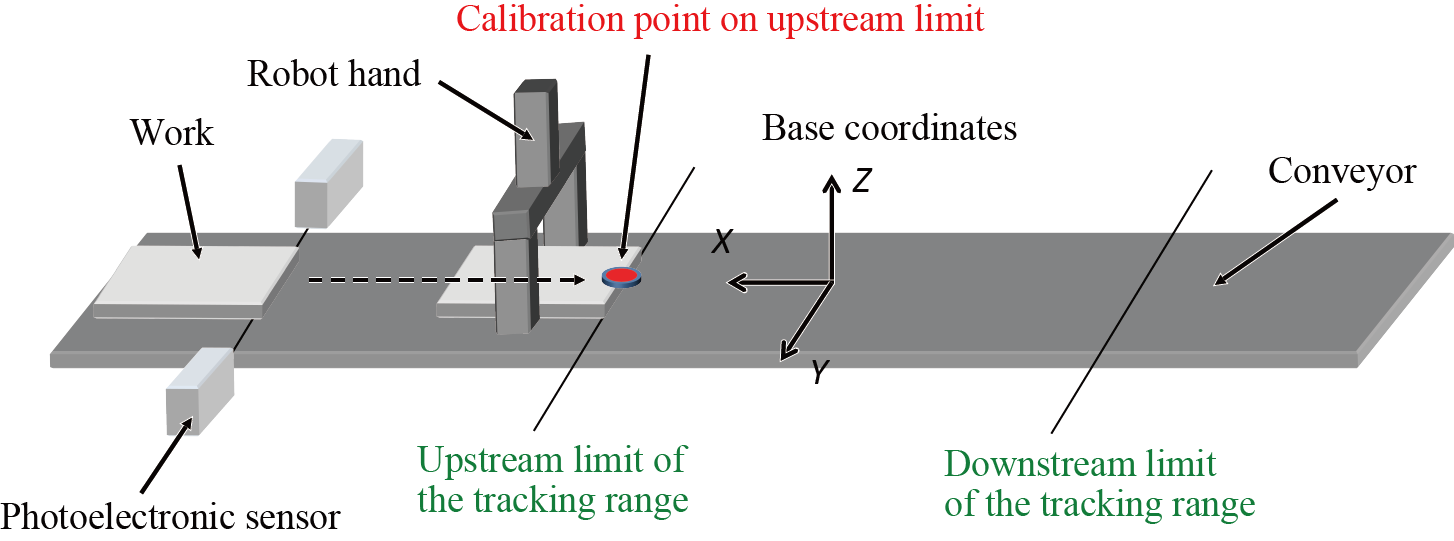
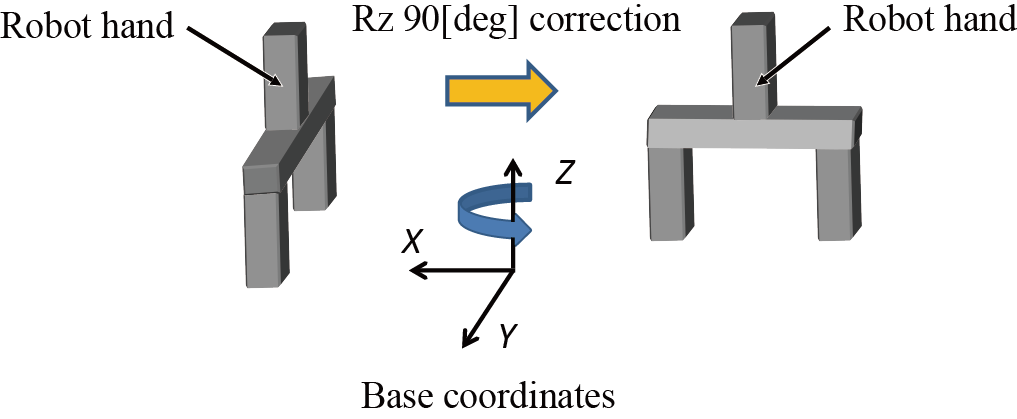
To correct the robot attitude depending on the workpiece direction detected by the vision sensor, obtain the workpiece's attitude angle detected by the vision sensor by TrackBufferRead first, and then add correction values for each attitude element (Rx, Ry, and Rz) of the second argument [Reference position].
Related Terms
Approach, TrackDepart, TrackMove, TrackStart, TrackStop, TrackTargetOffset, TrackTargetPos, Commands for Conveyor Tracking
Attention
- This is the conveyor tracking operation-dedicated command.
- This command is available only when it is written between TrackStart and TrackStop.
-
Note that the external speed limit and internal speed limit only affect "Approach" motion that is the robot task motion.
These limits do not affect the conveyor catch-up motion. - Unlike "Approach" motion, this command does not move a robot arm to the static target position specified by arguments.
- Please note that the motion target position of the robot will differ depending on the positions where the tool definition and work definition are inserted.
1. If the definition change is written before the "TrackTargetPos".
ChangeTool 1
ChangeWork 1

P[10] = TrackTargetPos(1,-1,1)
TrackApproach P, P[10], 100
The motion target position of the robot is not affected by the changes of tool definition and work definition.
2. If the definition change is written after the "TrackTargetPos".
P[10] = TrackTargetPos(1,-1,1)

ChangeTool 1
ChangeWork 1

TrackApproach P, P[10], 100
The motion target position of the robot is affected by the changes of the tool definition and work definition.
Since the tool and work definitions at the TrackTargetPos execution and at the TrackApproach execution are different, the robot motion target position will deviate by these differences.
Example
-