
 HOME
HOME
ID : 9656
Single-Cycle Check
Run the program for one cycle in order to check the robot motion.
Operation procedures
1
Set the operation mode to manual mode.
Automatic mode (program check-selected state) is available.
2
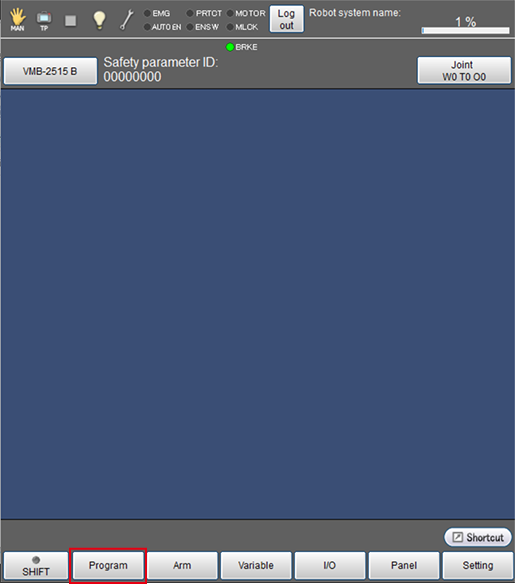
Press [F1 Program].
[Program list] window is displayed.
3
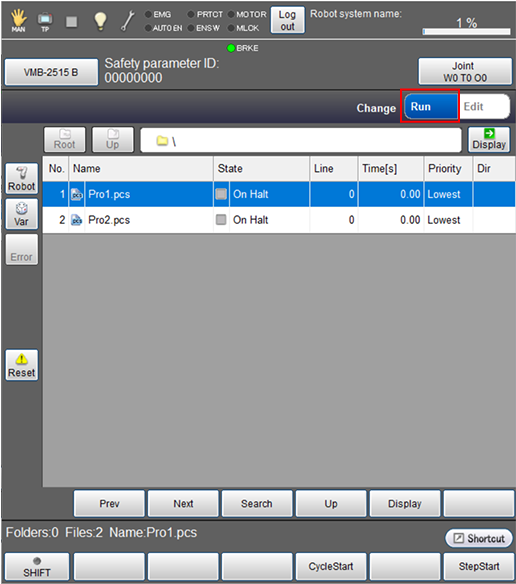
From the right top of the [Program list] window, tap [Run].
4
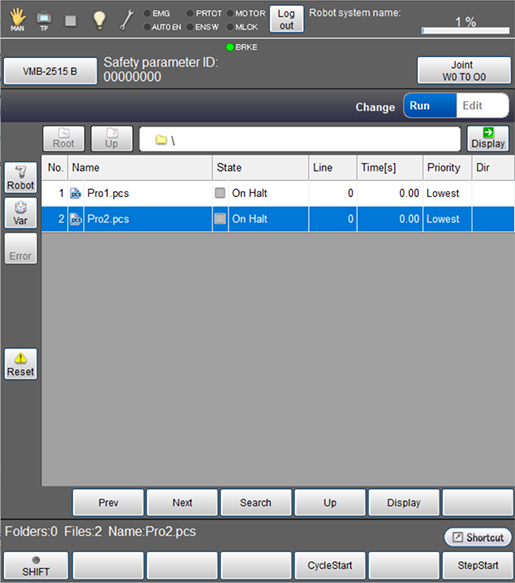
Select a program to check.
The selected program will be highlighted.
To check the content of program, from the bottom of the [Program list ], tap [Display].
5
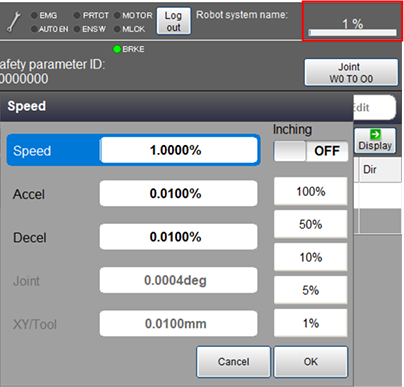
Set the external speed, acceleration, and deceleration. On the status bar, tap the speed button which is red-circled in the image below.
6
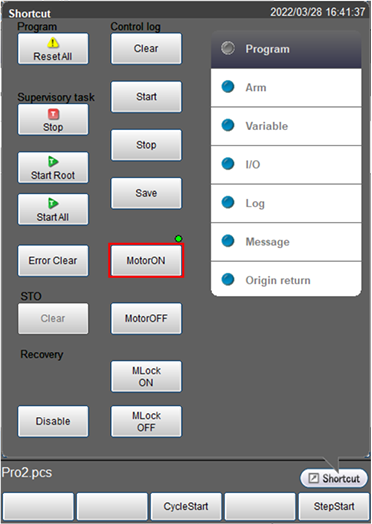
From the shortcut menu, tap the [MOTOR] button to turn the motor on.
The [MOTOR] lamp turns on.
7
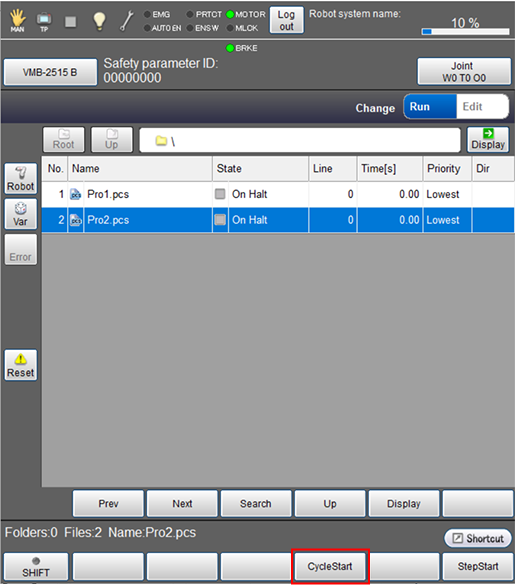
Press [F4 CycleStart].
8
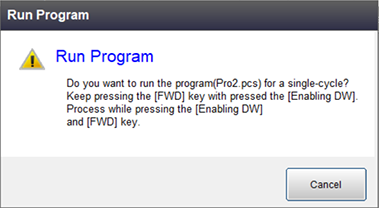
While the following message is displayed, with keep pressing down the enabling switch, tap the [OK] key. Keep pressing both the enabling switch and [OK] until the program execution completes.
Robot stops immediately if either of them is released before completing the execution.
ID : 9656