
 HOME
HOME
ID : 9657
Step Start
Run the program by one step each in order to check the robot motion.
Operation procedures
1
Set the operation mode to manual mode.
Automatic mode (program check-selected state) is available.
2
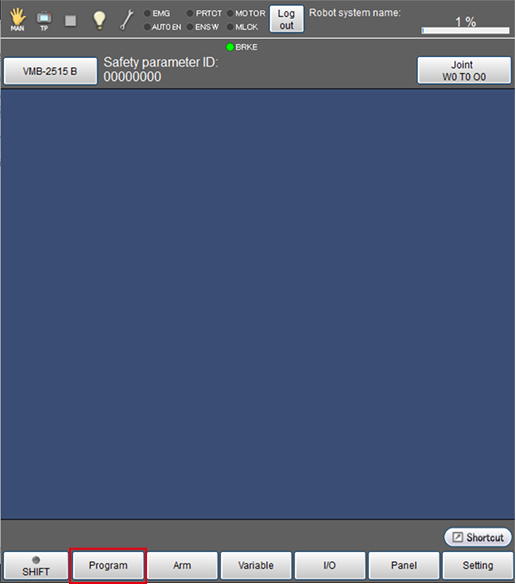
Press [F1 Program].
[Programs] window is displayed.
3
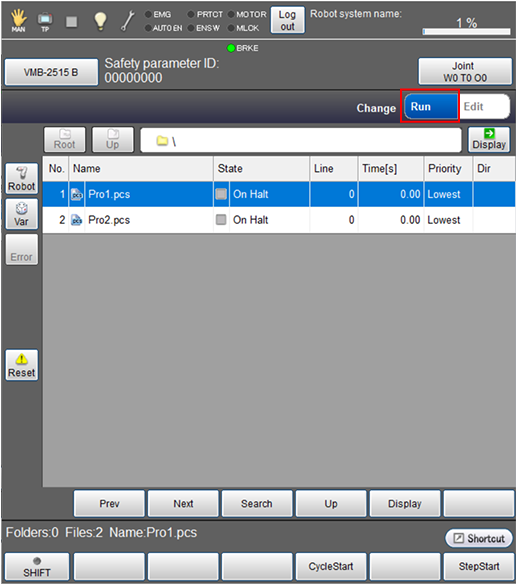
From the right top of the [Program list] window, tap [Run].
4
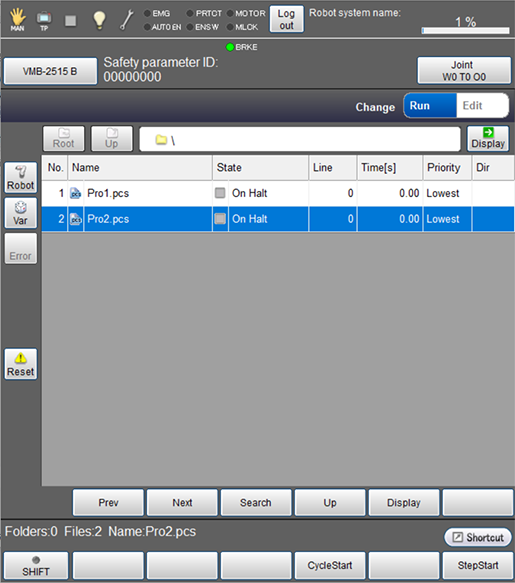
Select a program to check.
The selected program will be highlighted.
To check the content of program, from the bottom of the [Program list ], tap [Display].
5
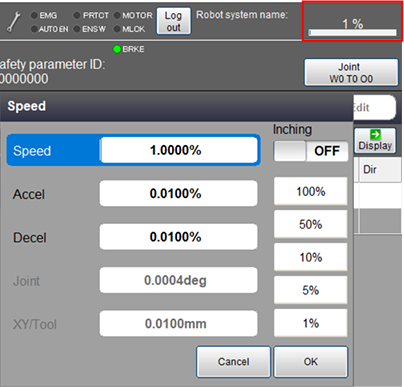
Set the external speed, acceleration, and deceleration. On the status bar, tap the speed button which is red-circled in the image below.
6
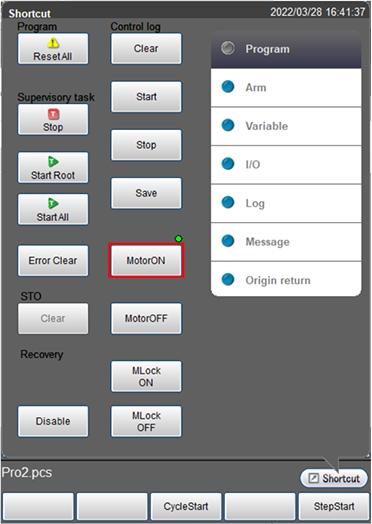
From the shortcut menu, tap the [MOTOR] button to turn the motor on.
The [MOTOR] lamp turns on.
7
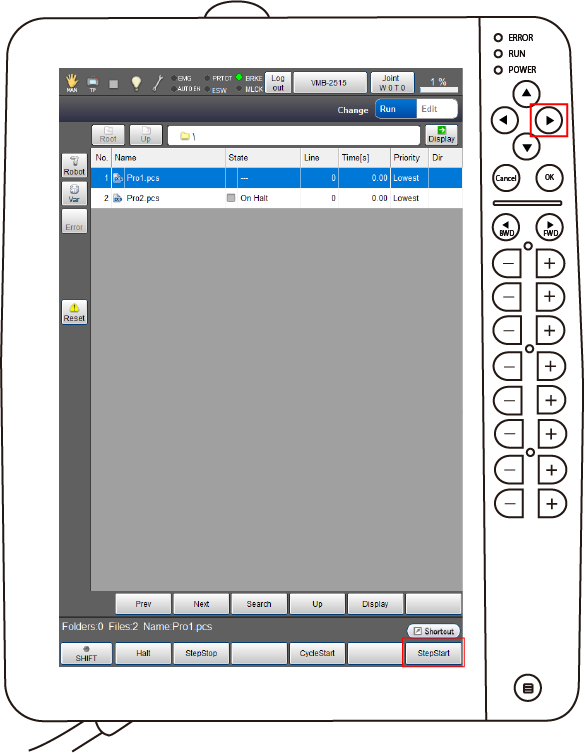
Tap [F6 Step Start ] or press the right arrow key.
8
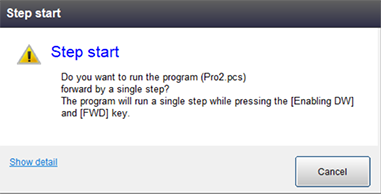
When the following message appears, keep pressing down the enabling switch and tap [OK]. Keep pressing both the enabling switch and [OK] until the program execution completes.
Robot stops immediately if either of them is released before completing the execution.
Repeat Function
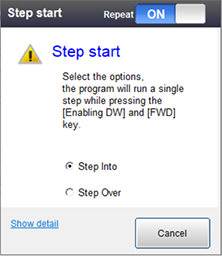
If you perform Step Start with displaying the program, repeat function is available.
- Step in : Lines in the called procedure are executed one line for each.
- Step over : Lines in the called procedure are executed as one step, and then moves to the next step.
ID : 9657