
 HOME
HOME
ID : 9660
Single-Cycle Start
Run the program for one cycle.
Operation Procedures
1
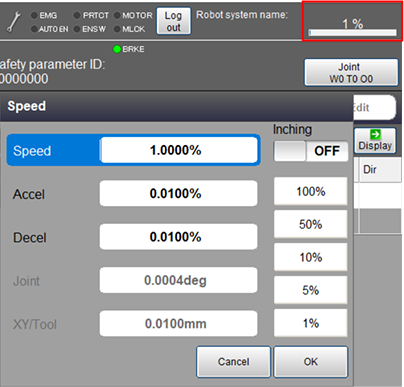
Set the external speed, acceleration, and deceleration. On the status bar, tap the speed button which is red-circled in the image below.
2
Set the operation mode to automatic mode.
3
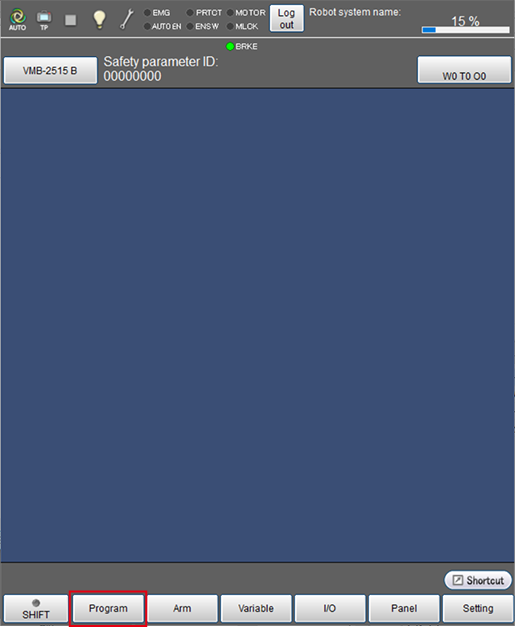
Press [F1 Program].
4
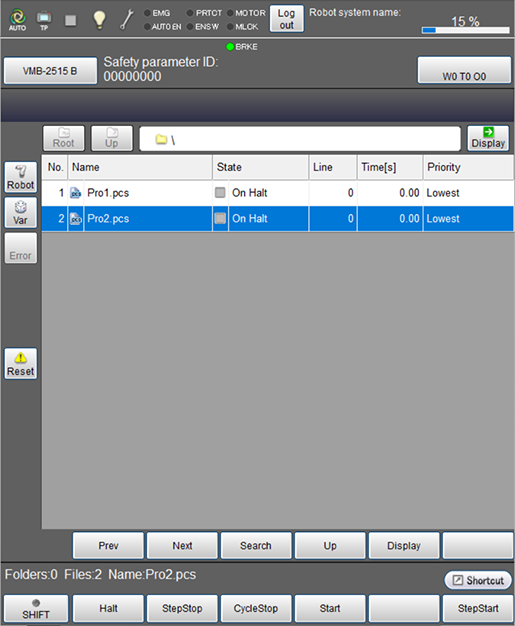
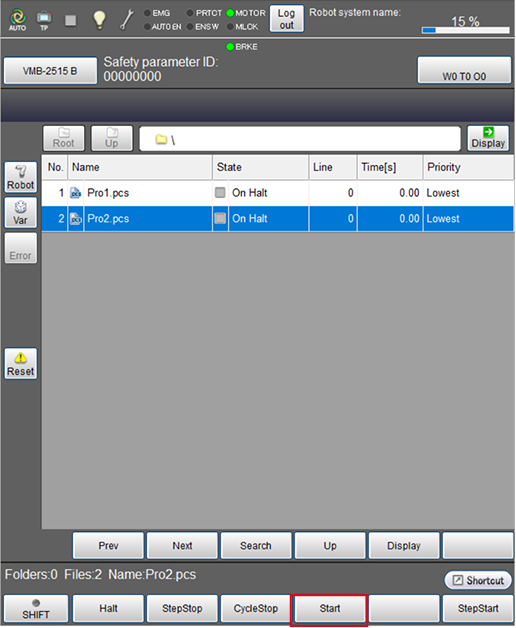
Select a program to run.
The selected program will be highlighted.
5
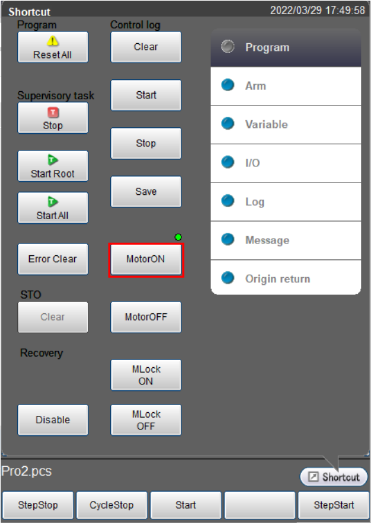
From the shortcut menu, tap the [MOTOR] button to turn the motor on.
The [MOTOR] lamp turns on.
6
Make sure that the selected program is highlighted, and tap [F4 Start].
7
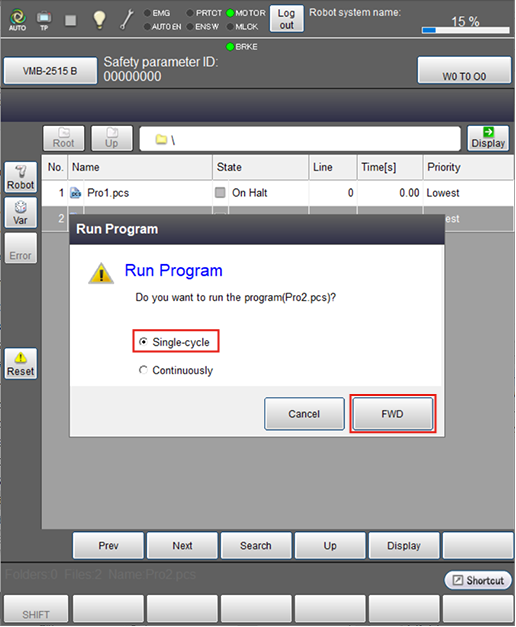
From the [Run Program] window, select [Single-cycle], and then tap [FWD].
Single-cycle start will be started.
During program running, always keep one hand free and ready to press the STOP key.
To restart the program after completing single-cycle start, go back to STEP 6 and repeat the operation.
The displayed run time shows time from the start of program to the end, which includes suspended time due to the step stop or halt.
ID : 9660