
 HOME
HOME
ID : 9661
Continuous Start
Start a program continuously.
Operation Procedures
1
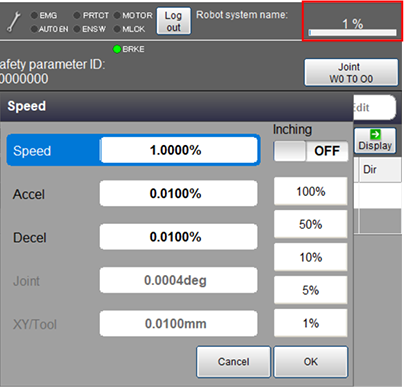
Set the external speed, acceleration, and deceleration. On the status bar, tap the speed button which is red-circled in the image below.
2
Set the operation mode to Auto mode.
3
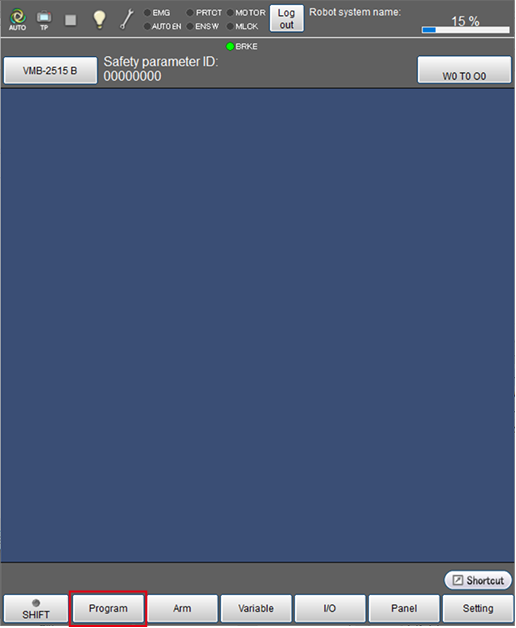
Press [F1 Program].
4
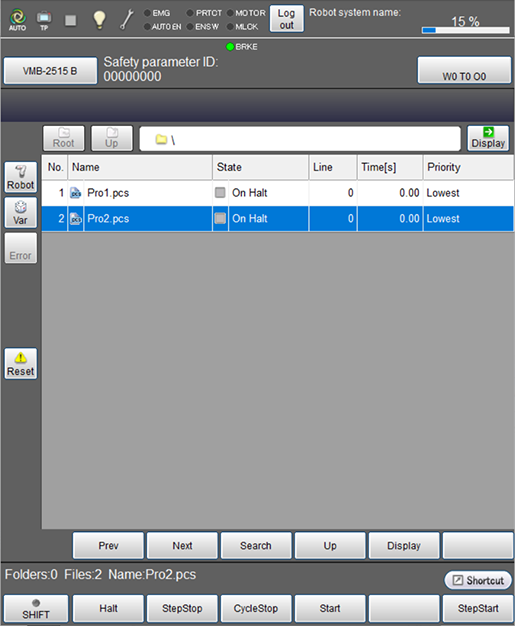
Select the program to be started.
The selected program will be highlighted.
5
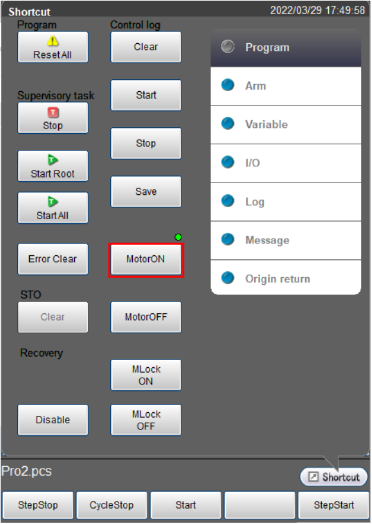
From the shortcut menu, tap the [MOTOR] button to turn the motor on.
The [MOTOR] lamp turns on.
6
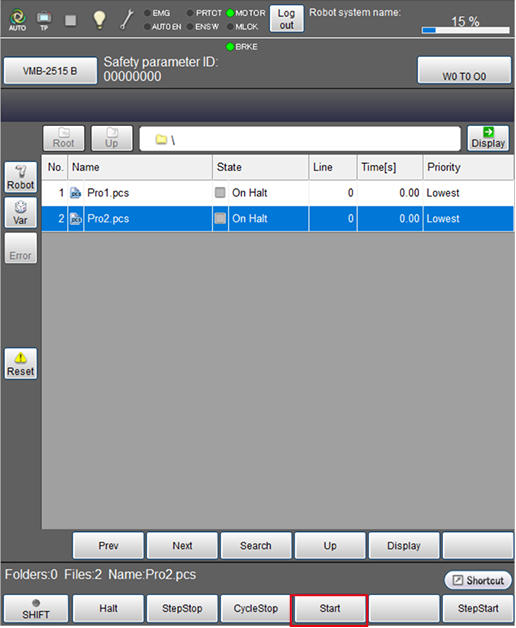
Make sure that the selected program is highlighted, and press [F4 Start].
7
Select [Continuously] in the [Run Program] window, press [FWD].
Continuous start will be started.
During program checking, always keep one hand free and ready to press the emergency stop button.
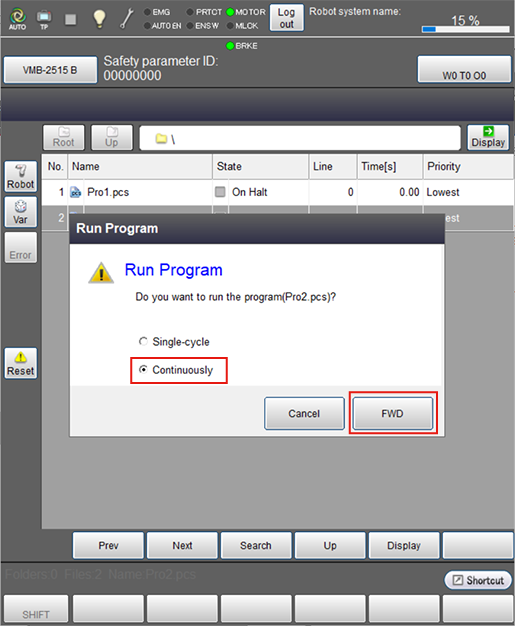
For the continuous start, the robot will not stop until either of "Emergency Stop", "Halt", "Step Stop", or "Cycle Stop" is executed.
The elapsed time on the display shows the length of time from the start to the end of the program including temporary stop time caused by the step stop or the halt.
ID : 9661