
 HOME
HOME
ID : 9745
Displaying System Information (General Tab)
Operation path: [F6 Setting] - [F2 System Info] - [General] tab
Display information associated with software version, robot type in effect, and power supply.
Press the [General ] tab to display the following [System Info] screen.
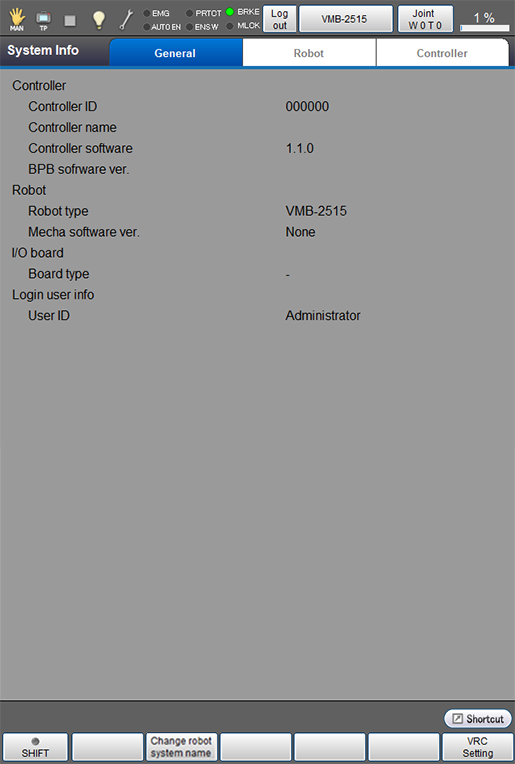
| Available function keys | |
|---|---|
| [F2 Change robot system name] (*) | Set any name to the controller. |
| [F6 VRC Setting] (*) | Set the VRC. |
- (*) To edit [F2 Change controller] and [F6 VRC Setting], log in with a user account granted user permission for Maintenance.
- With the mini-pendant, you can check the controller name in the operation path below. You cannot change the name with the mini-pendant.
Operation path: [Aux.Function] - [CtrlrName]
ID : 9745
- Related Information
- VRC Setting