
 HOME
HOME
ID : 9746
VRC Setting
Operation path: [F6 Setting] - [F2 System info] - [General] - [F6 VRC Setting]
This page describes how to set the VRC.
Pressing [F6 VRC Setting] will display the [VRC Setting] window as shown below.
For details of the parameters, refer to "VRC" of Parameter List.
This operation is available only when the currently logged-in account is granted user permission for "Maintenance".
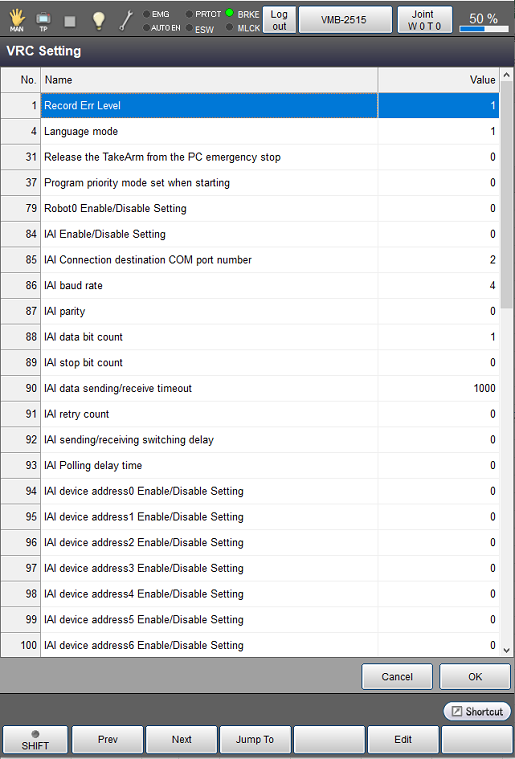
| Available function keys | |
|---|---|
| [F1 Prev] | Display the previous page of the currently displayed contents. |
| [F2 Next] | Display the next page of the currently displayed contents. |
| [F3 Jump To] | Display a numeric keypad. Enter a parameter number with the keypad, and press [OK] to move to the selected number. The selected number is highlighted. |
| [F5 Edit] | Select a parameter that you want to change, and then press [F5 Edit]. Once a dialog box is displayed, select a desired item, and then press [OK] on the dialog box. The changed value is confirmed by pressing [OK] on the [VRC Setting] screen. |
ID : 9746