
 HOME
HOME
ID : 9760
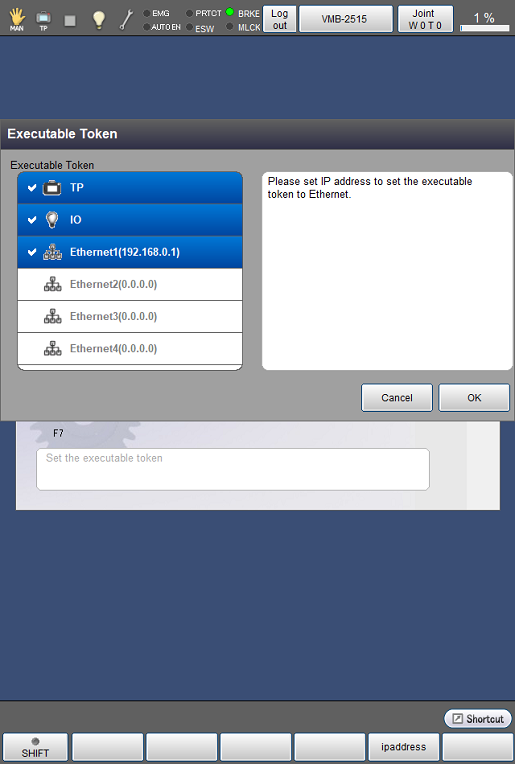
Displaying and Changing Executable Token Setting Screen
Operation path: [F6 Setting] - [F5 Communication and Token] - [F1 Executable Token]
This screen appears only when the currently logged-in account is granted user permission for "Programming" or "Maintenance"..
Set the executable token.
Tap [F1 Executable Token] to display the following [Executable Token setting] window.
Select the executable token to set, and tap [OK]. Then, the system message, "Is it OK to change the setting?" will be displayed. Tap [OK] to change the executable token.
Two or more executable token can be selected.
If "TP" is set as an executive token, stay outside of the safety fence when you start a program.
ID : 9760