
 HOME
HOME
ID : 9762
Displaying and Changing the Data Communication Settings Screen
Operation path: [F6 Setting] - [F5 Communication and Token] - [F3 Data Communication]
Set communication of device.
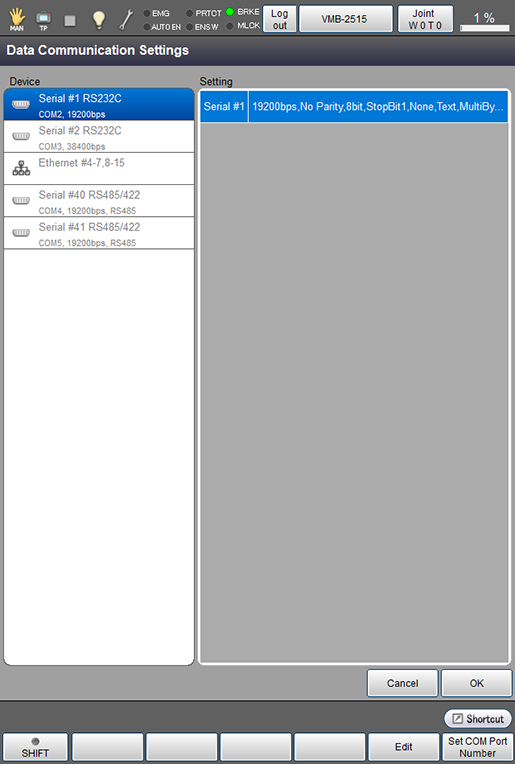
Press [F3 Data Communication] to display the following [Data Communication Settings] screen.
After selecting a device, press the [F5 Edit] key to change its setting.
| Available function keys | |
|---|---|
| [F5 Detail] | Displays [Data Communication Settings]. |
| [F5 Edit] (*) |
After selecting a device, press [Edit] to display the data communication setting screen where you can change its setting. |
| [F6 Set COM Port Number] (*) |
A communication port number compatible with the COM port can be selected. To display a list of available COM port, select a device you would like to change then press [Set COM Port Number]. |
ID : 9762