
 HOME
HOME
ID : 9767
Setting for Reading and Writing Data
Operation path: [F6 Setting] - [F6 Data Read and Write]
Save project data to USB, and read it from USB.
Press [F6 Data Read and Write] to display the following [Data Read and Write] window.
This key appears only when the currently logged-in account is granted user permission for "Programming" or "Maintenance".
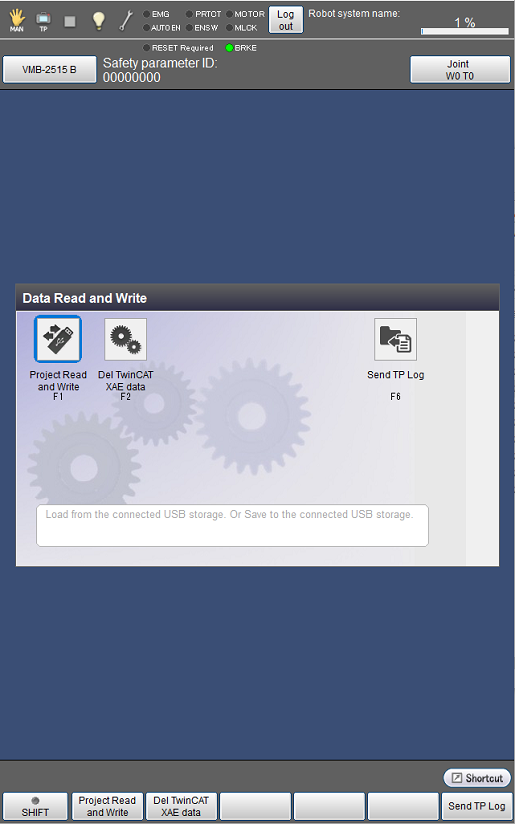
| Available function keys | |
|---|---|
| [F1 Project Read and Write] (*1) |
Read project data from USB, or write it to USB. |
| [F2 Del TwinCAT XAE Data] (*2) | Delete the TwinCAT XAE data. |
| [F6 Send TP Log] (*2) |
Send the Smart TP logs to the robot controller. The logs sent to the controller can be received using WINCAPSIII. (*3) |
*1: Available only when the currently logged-in account is granted user permission for "Programming" or "Maintenance".
*2: Available only when the currently logged-in account is granted user permission for "Maintenance".
*3: Use this key if you need the logs for your inquiry about Smart TP.
ID : 9767
- Related Information
- Displaying and Reading Project List