
 HOME
HOME
ID : 10763
Connection Procedures with Slave Robot
This section describes COBOTTA operation when connecting with the slave robot.
1
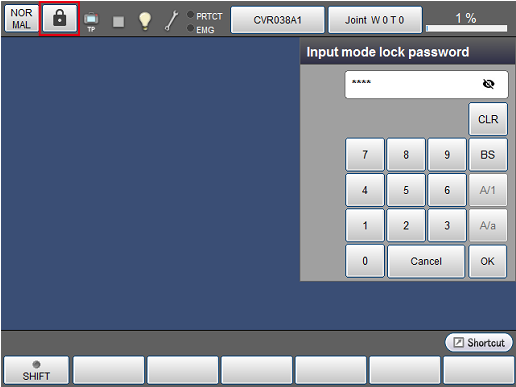
Press the mode lock icon and enter a mode lock password.
2
In the Remote TP/Virtual TP window, press the button with [NORMAL] displayed.

3
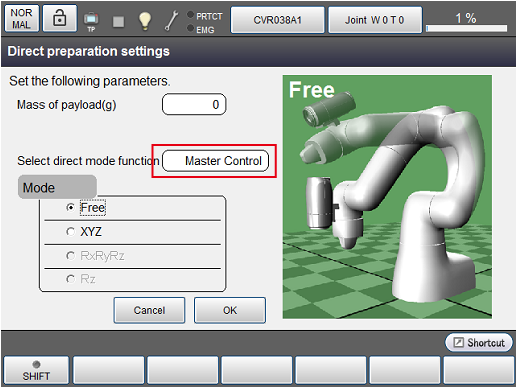
In the the direct preparation setting window, select [Select direct mode function] and change to "Master control".
4
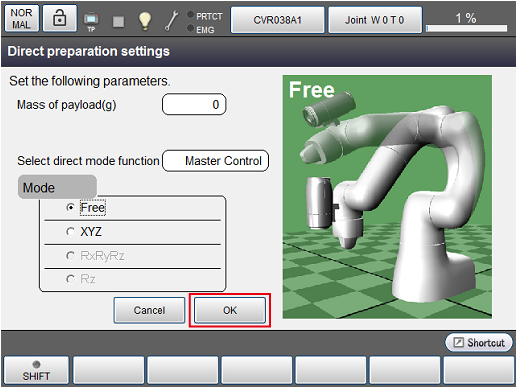
Press [OK].
5
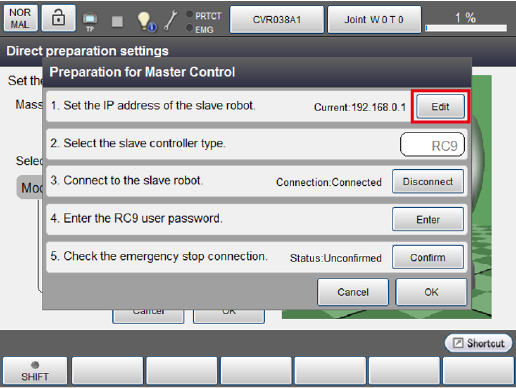
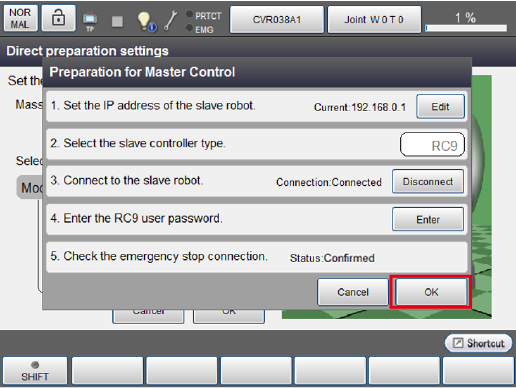
The master control preparation window will appear.
Press 1:[Edit] and enter the IP address of the slave robot.
6
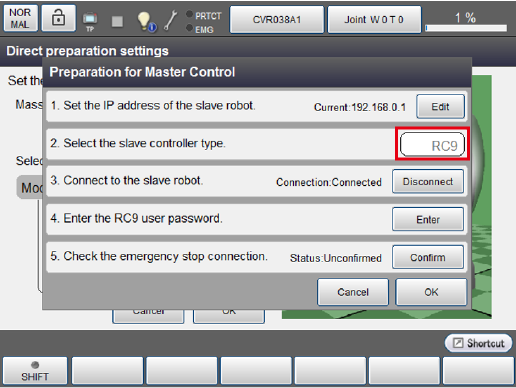
Set the slave controller type to "RC9".
7
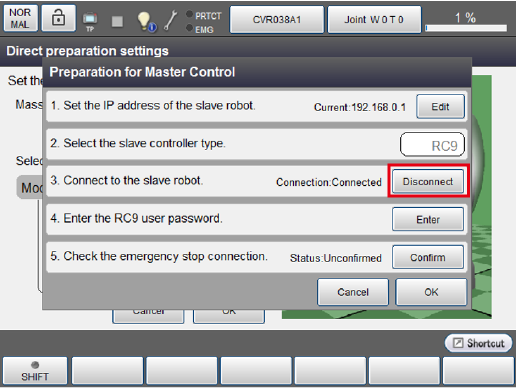
Press 3:[Connect] and check the connection with the slave robot.
Once the connection is confirmed, the connection status turns to "Connected" and connection check of the emergency stop is enabled.
If an error occurs, the Ethernet cable may not be connected correctly or the IP address of the connected slave robot may be wrong.
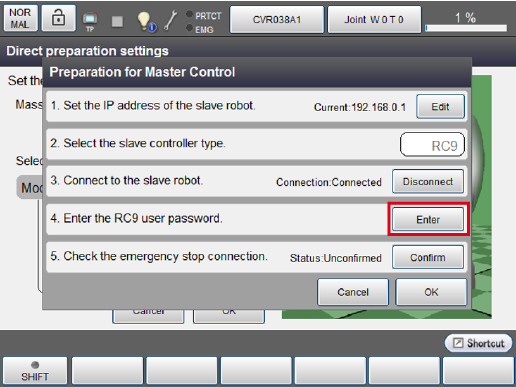
Press 4: [Enter] to enter a password for RC9.
9
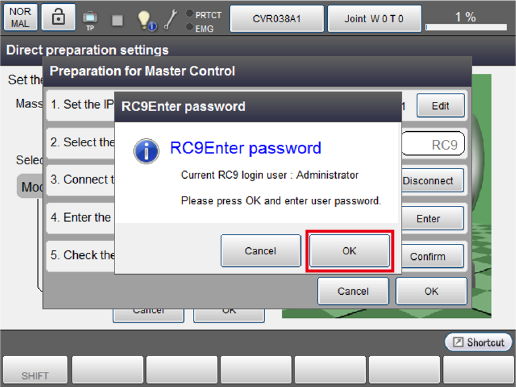
Check the currently logged in user and press [OK].
10
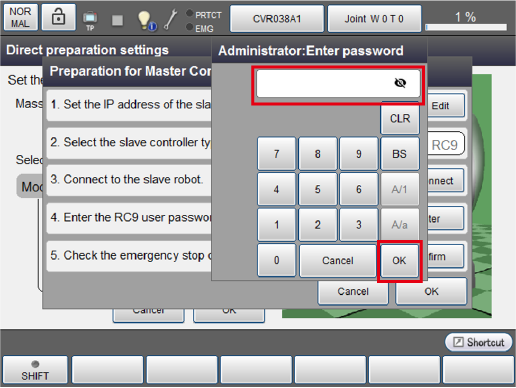
Enter a password and press [OK].
11
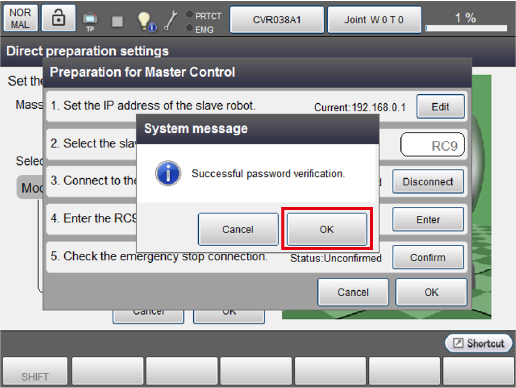
Press [OK] in the following system message.
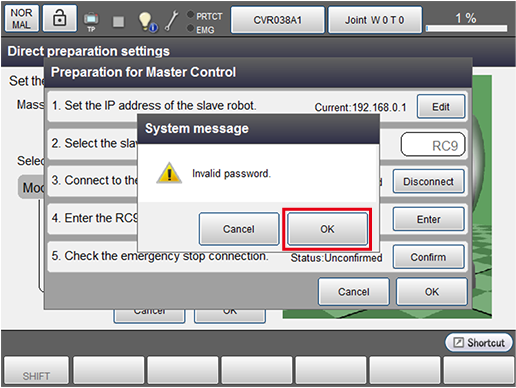
Entering a wrong password will display the following system message.
Enter a correct password again.
12
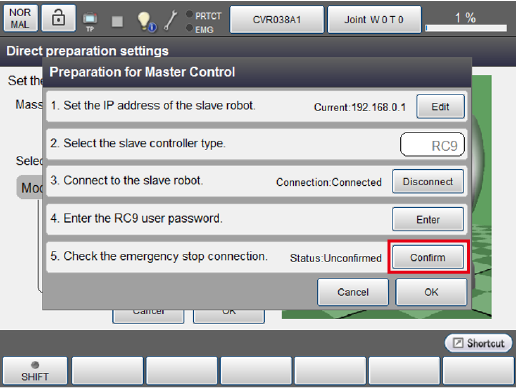
Press 5:[Confirm] and check the connection status of the emergency stop.
Once the connection is confirmed, the connection status turns to "Confirmed" and [OK] is enabled.
13
Press [OK] to complete the connection to the slave robot.
At this time, the LED of COBOTTA blinks blue slowly.
This completes the procedure for connecting to the slave robot.
ID : 10763