
 HOME
HOME
ID : 10766
Command Insertion Function
This is a support function of programming to automatically insert a command according to setting when pressing a button on the arm of COBOTTA. You can use this function if "Teaching" is selected in the usage of the slave control setting.
For the command to insert, the customer can select either the default command or the template command set by the customer.
For details of the default command, see "Default Command" below.
If the customer sets a command to insert, see "Editing a Command to Insert".
Operation
1
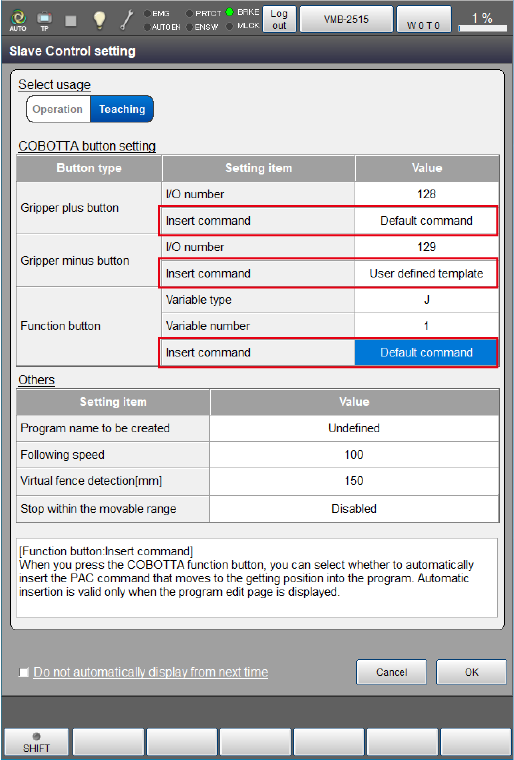
Set to "Default command" or "User defined template" for the setting value of [Insert command] of each button in the slave control setting window of the slave robot.
2
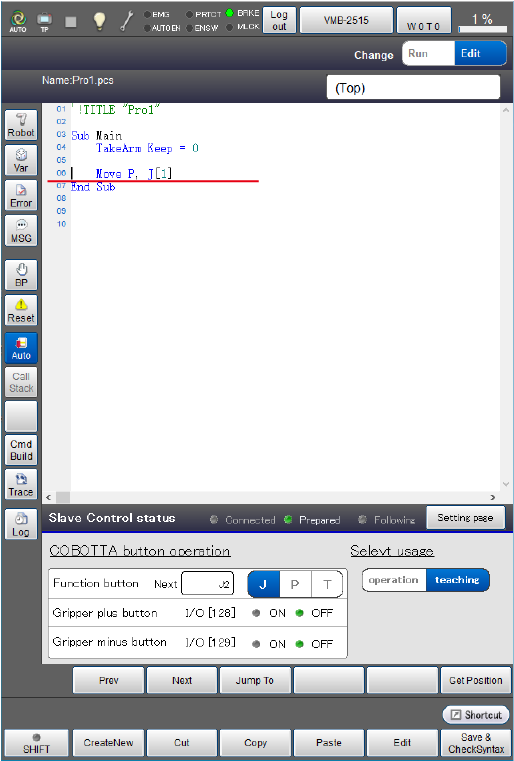
With the program edit window is displayed, when you press each button of COBOTTA, the specified command is automatically inserted.
The command is inserted to the line under the cursor.
At this time, the slave control status is displayed at the bottom of the smart TP window. You can use it to check the status.
Default Command
If "Default command” is set in [Insert command], commands below are inserted.
Gripper plus button
In "x", the I/O number is inserted, that is set to the gripper plus button in the slave control setting window.
If the specified I/O is OFF, Set is inserted. If it is ON, Reset is inserted.
Delay 500
Set IO[X] or  Reset IO[X]
Delay 500
Gripper minus button
In "x", the I/O number is inserted, that is set to the gripper minus button in the slave control setting window.
If the specified I/O is OFF, Set is inserted. If it is ON, Reset is inserted.
Delay 500
Set IO[X] or  Reset IO[X]
Delay 500
Function button
In "x", the variable number is inserted, that is set to the function button in the slave control setting window.
The specified variable type is inserted.
Also, read the current position into the variable number of the specified variable type at the same time.
Each time you press the function button, the variable number is increased by 1.
Move P, @P P[X] or J[X] or T[X]Editing a Command to Insert
In the command insertion function, the customer can insert a command set by the customer.
The following describes the procedure to edit a command set by the customer.
If you insert the command edited in this step, set [Insert command] to "User defined template".
1
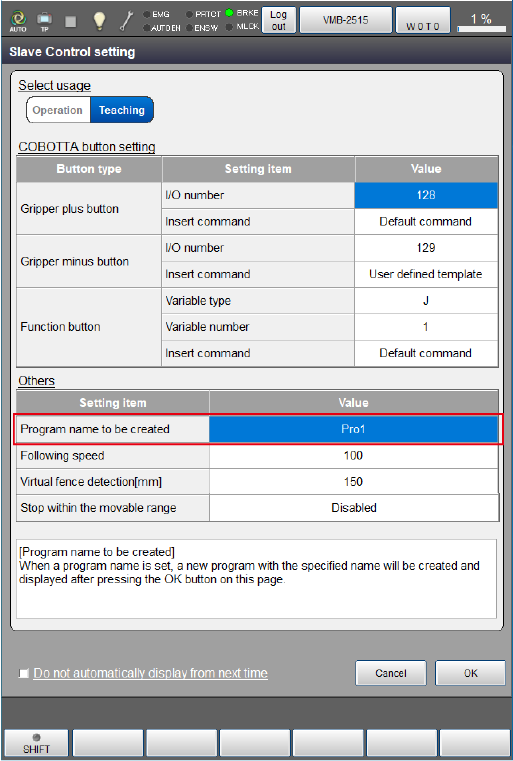
In the slave control setting window, enter a program name into "Program name to be created" and press [OK].
[AssistFunction] folder will be generated in the same folder hierarchy as a new program.
If the AssistFunction folder already exists, it will not be generated.
2
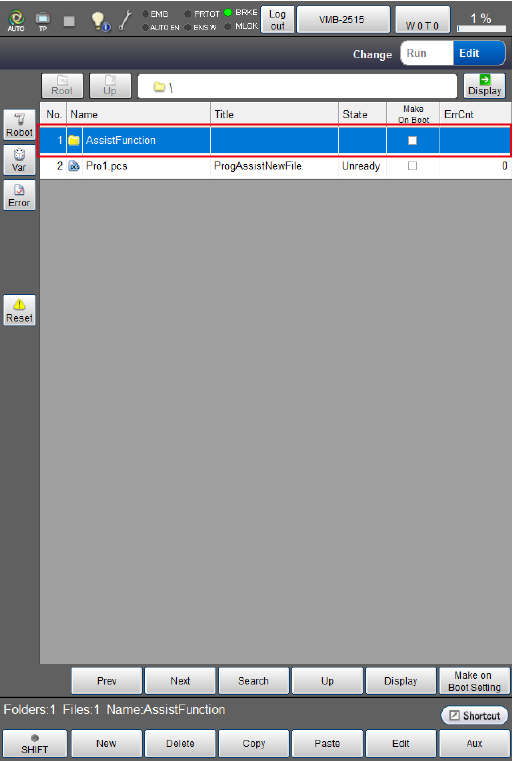
Press the [AssistFunction] folder in the Program list window.
3
Edit a program corresponding to each button.
As a default, it is programmed to insert similar commands as the Default command.
- ButtonTemplate1.pcs: Gripper plus button
- ButtonTemplate2.pcs: Gripper minus button
- ButtonTemplate3.pcs: Function button
If you changed the file storage location and file name, you need to change #Include of the program that automatically inserts a command.
ID : 10766