
 HOME
HOME
ID : 10799
Operation Procedure
The following shows procedure of Virtual Fence function.
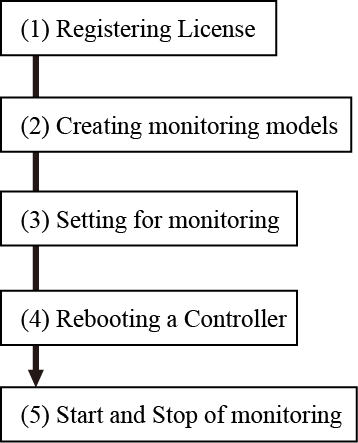
(1) Registering License
This function requires a license key.
To register a license key, use a smart TP or WINCAPSIII.
(2) Creating Monitoring Models
Create monitoring models with Arm modeling of WINCAPSIII, and send it to a controller.
Once the monitoring model data arrives, the controller will start monitoring.
(3) Setting for Monitoring
Set the monitoring details with a smart TP.
(4) Rebooting a Controller
Reboot a controller. Virtual fence is enabled after rebooting.
(5) Start and Stop of Monitoring
Start/Stop the monitoring with a smart TP, mini pendant, or command.
ID : 10799