
 HOME
HOME
ID : 10968
Operate Auxiliary Axes by Specifying a Desired Variable
This section describes how to move to the specified variable.
Move Both Robot Joints and Auxiliary Axes Concurrently
1
Select an arm group that you intend to use with reference to “Get Auxiliary Axis Positions”.
In the example below, [Group1] is selected.
2
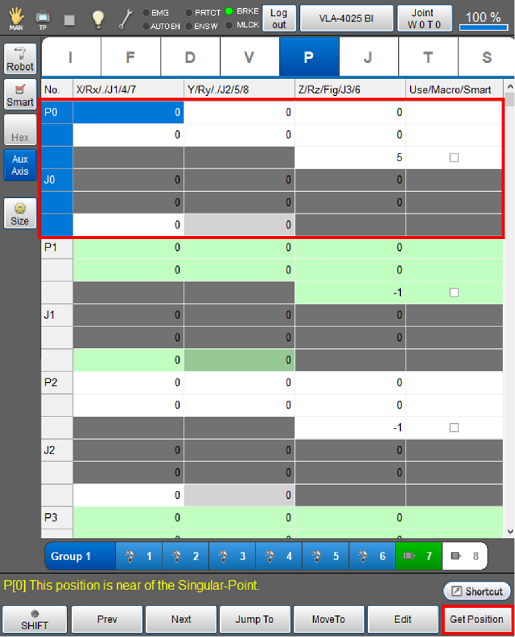
Move the robot and the auxiliary axes to the intended positions.
3
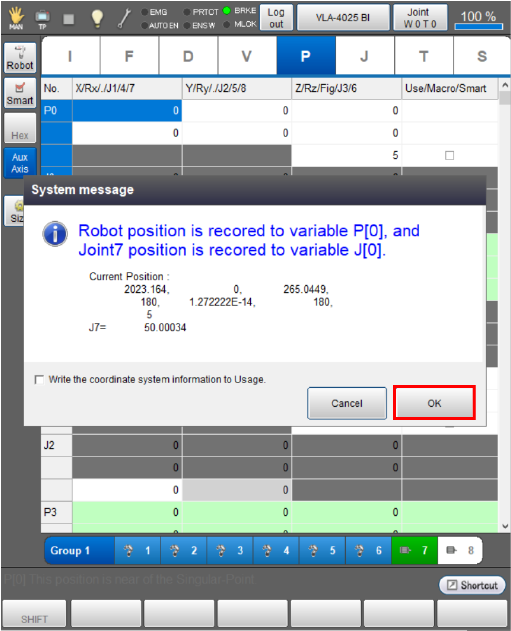
Press [F6 Get Position] to obtain the position data into variables.
4
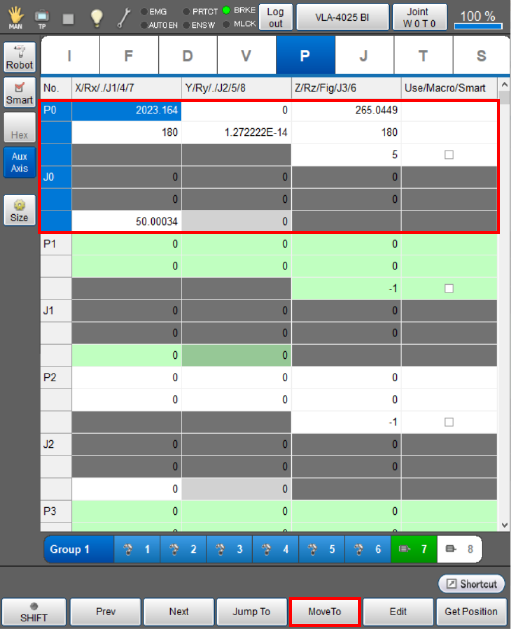
Select variables that the robot goes toward, then press [F4 MoveTo].
In the image below, P1/J1 is selected.
5
The [Move To] window is displayed as shown below. Select [PTP Movement] or [CP movement (Linear)], then press both the [FWD] button and the enabling switch.
In the image below, [PTP Movement] is selected.
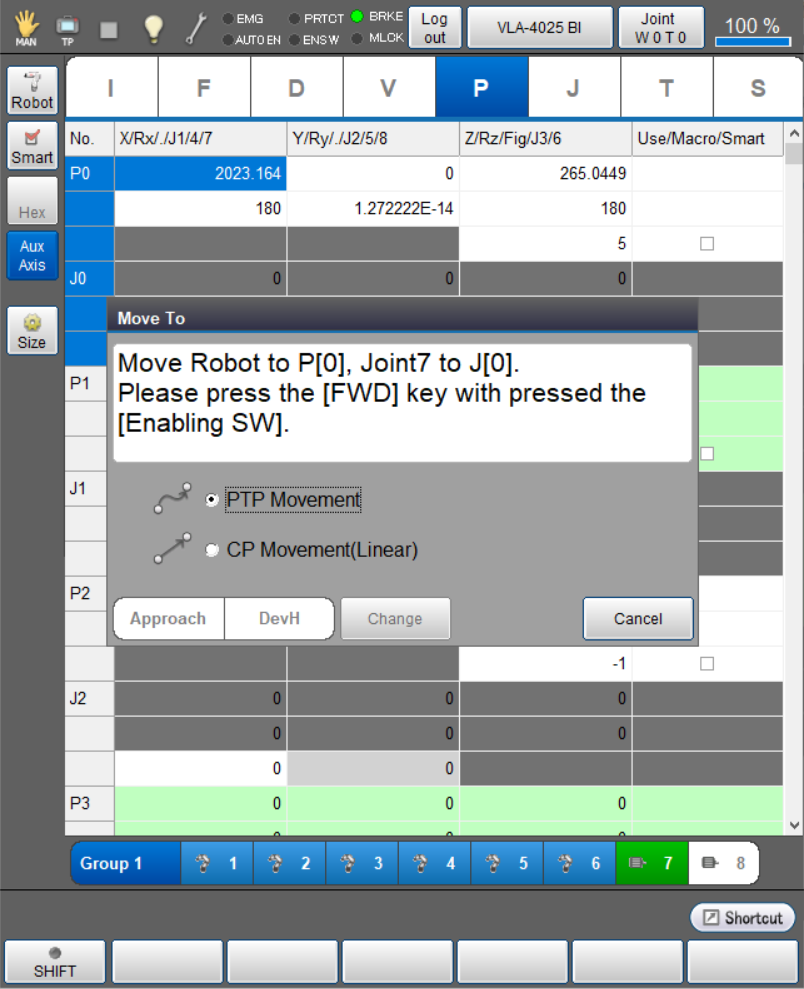
The robot starts moving with displaying the progress bar.
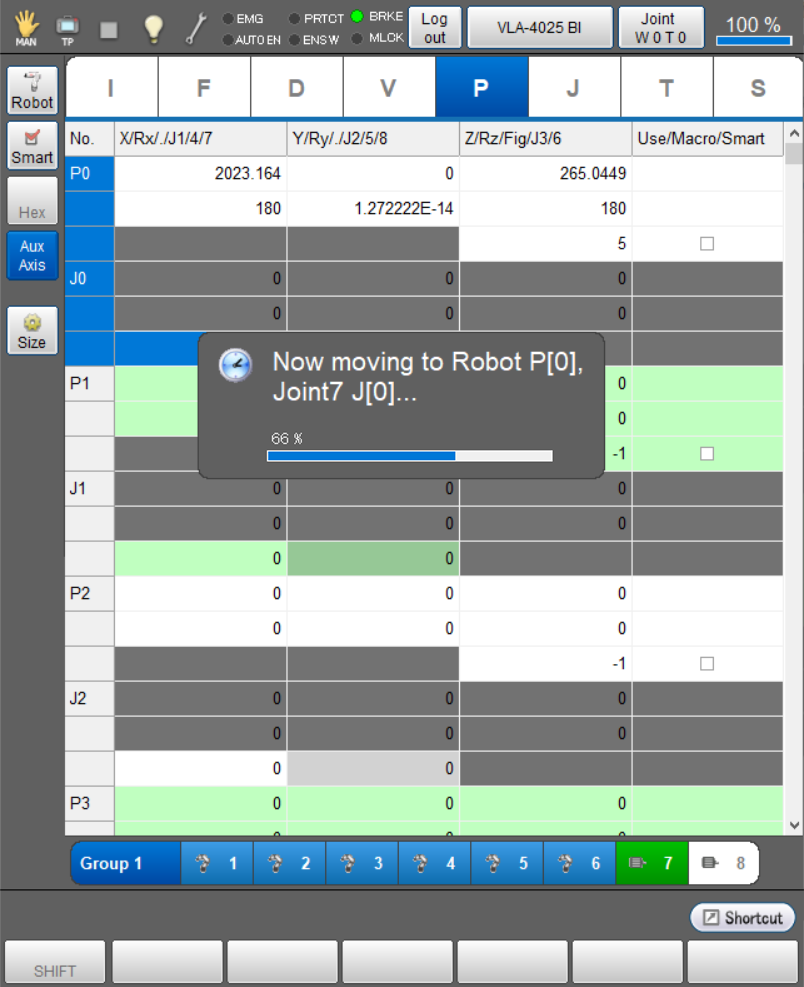
- Hold down the enabling switch and the [FWD] button while the robot is moving. Releasing either of them will stop the robot.
-
Moving the auxiliary axis without moving the robot arms to the specified variables, and vice versa is available as well.
To move the auxiliary axis, select the auxiliary axis that you intend to move and then press [F4 Move].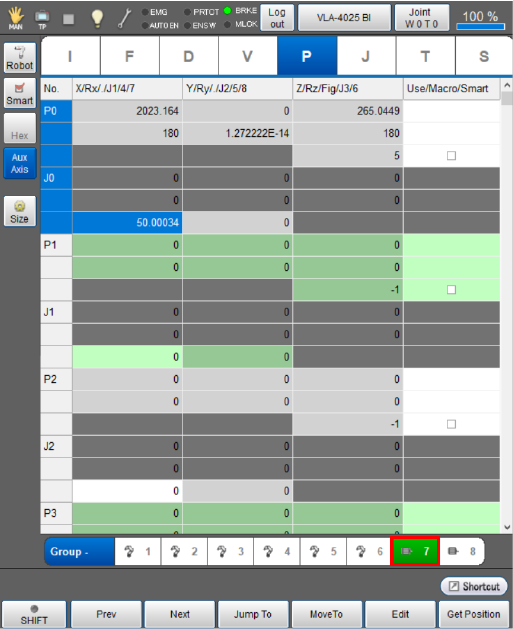
ID : 10968
ID : 10968