
 HOME
HOME
ID : 10967
Get Auxiliary Axis Positions
You can obtain auxiliary axis positions through the following two methods:
- Use J-type variables to obtain the current positions
- Use both J-type variables and P-type variables to obtain the current positions collectively
Auxiliary axis positions can be stored in J-type variables through whichever methods.
Use J-type Variables to Obtain the Positions of Robot Joints and Auxiliary Axes
In obtaining target positions, registering robot joints and auxiliary axes in the same arm group enables you to store the current position data of the robot joints and the auxiliary axes in the same variable number at the same time.
Get variables
1
Register in the same arm group the robot joints and the auxiliary axes of which current positions you intend to obtain.
For how to set an arm group, refer to [Register Auxiliary Axes in an Arm Group].
2
Top screen - [F3 Variables] - [J-type variables]
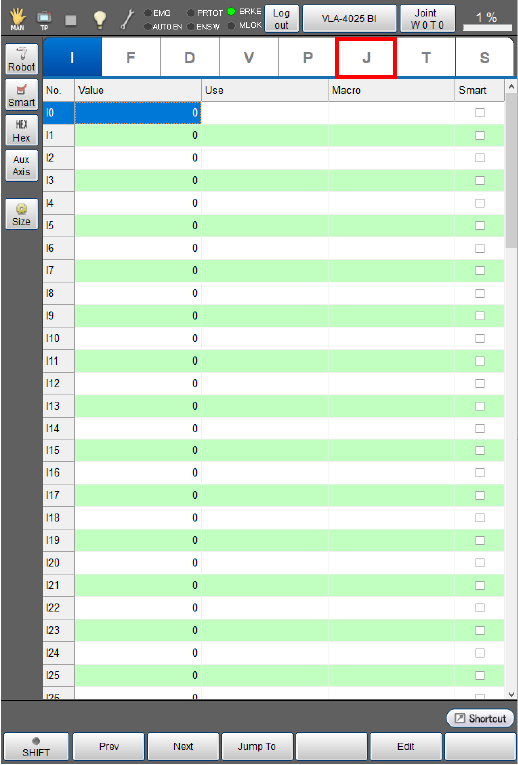
3
Click [ExJnt].
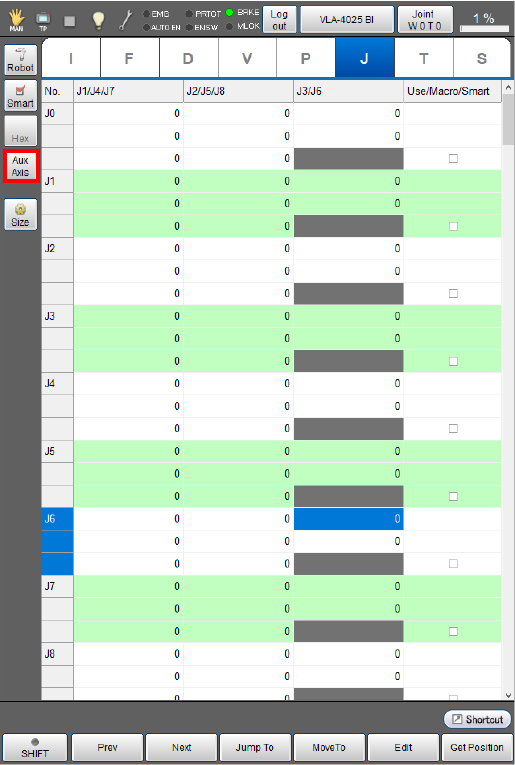
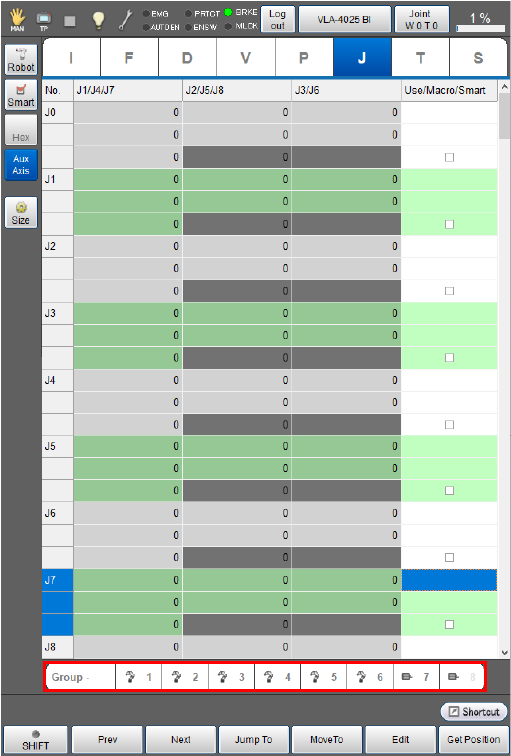
The display changes as follows.
- The [Arm Group] bar is displayed on the bottom of the screen.
4
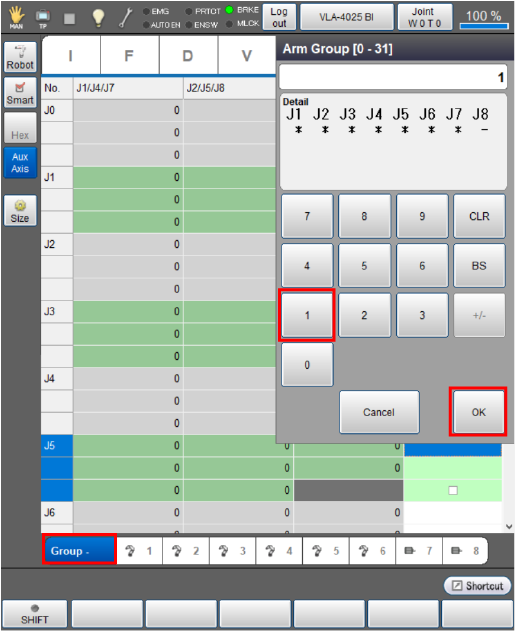
Press [Group -] to display a list of arm groups.
Use the displayed entry keypad to enter an arm group number that you intend to use, then press the [OK] button.
In this example, "Group 1" is selected.
5
Move the robot and the auxiliary axes to the intended positions.
6
Select a variable to obtain position data, then press [F6 Get Position].
In this example, “J0” is selected.
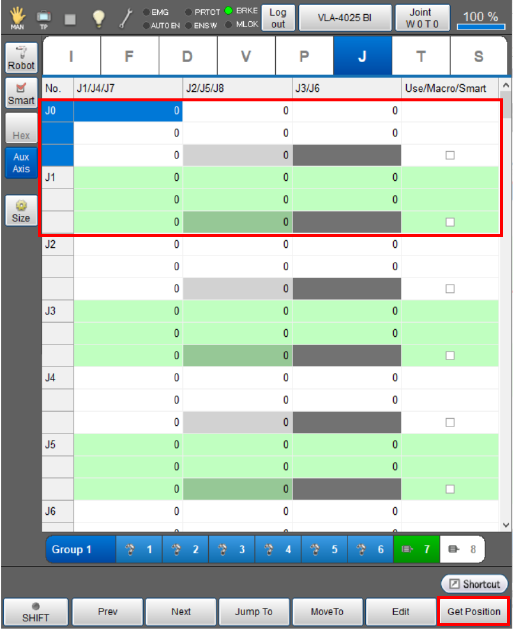
7
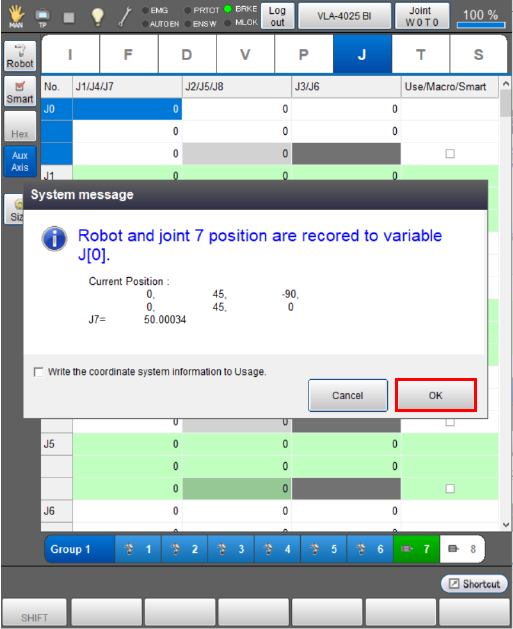
A system message is displayed to confirm whether to store it in the variable. Press [OK] to store it.
The position data is not obtained if [Cancel] is pressed.
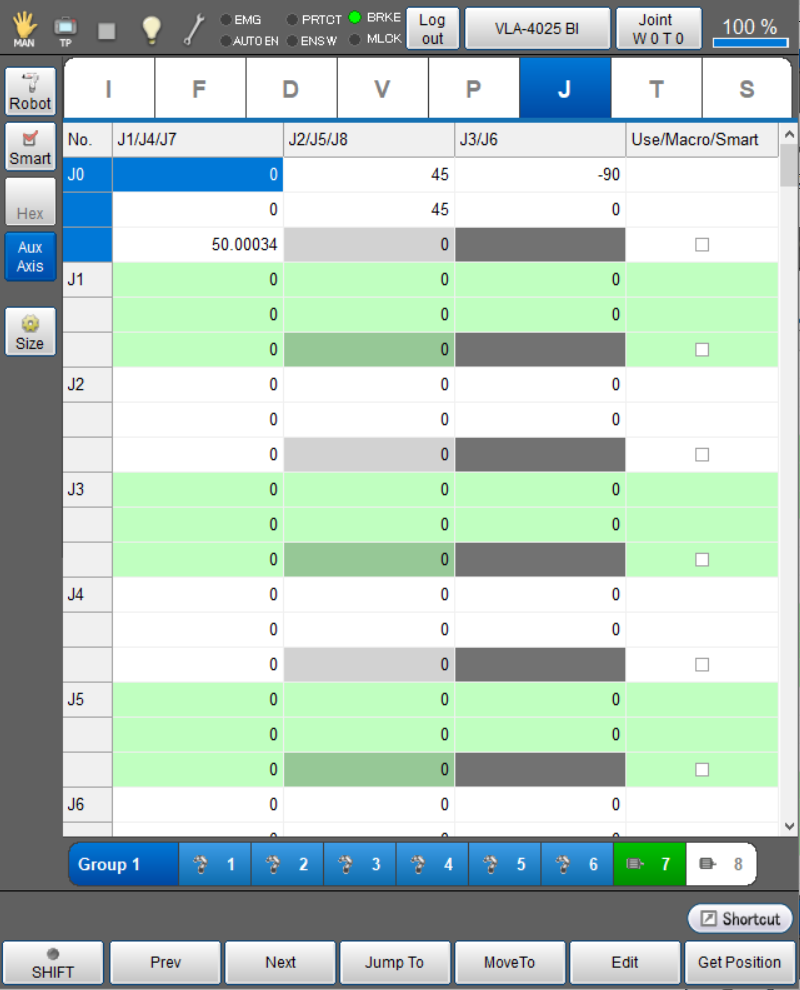
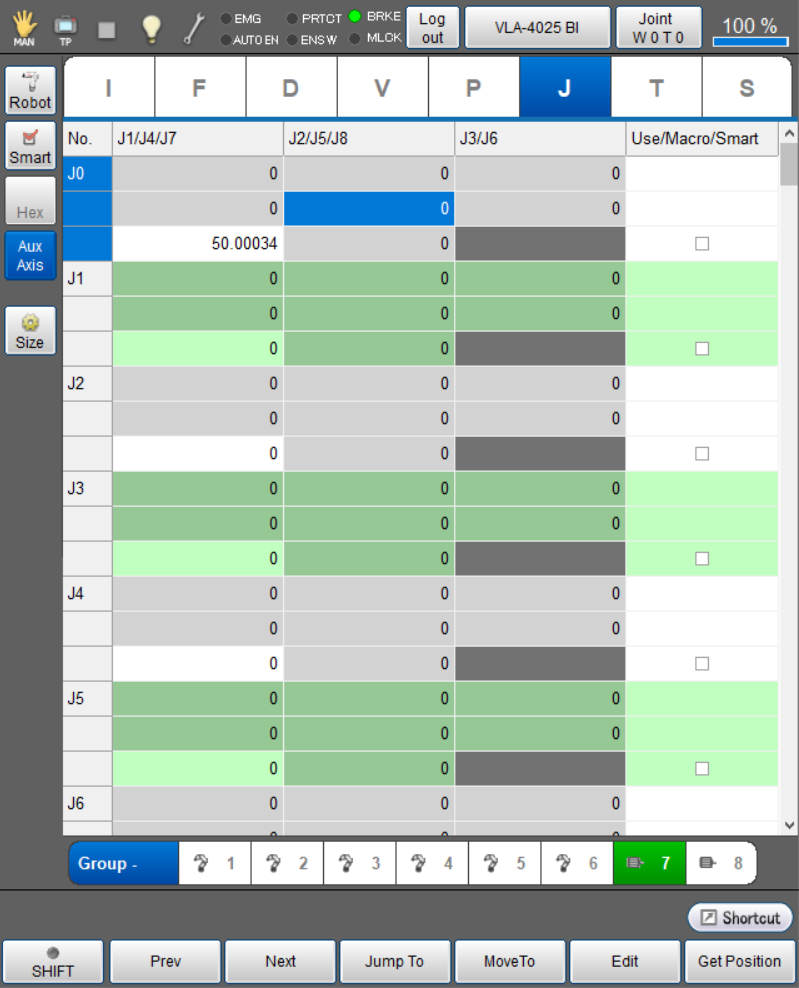
The current position data of the robot joints and the auxiliary axes in J-type variables will be stored.
The stored position data is displayed as below.
Selecting any of the robot joints 1 to 6 in the arm group list enables you to obtain only the auxiliary axis position data without obtaining the current positions of the robot joints.
Selecting any of the robot joint icons changes all of them to gray.
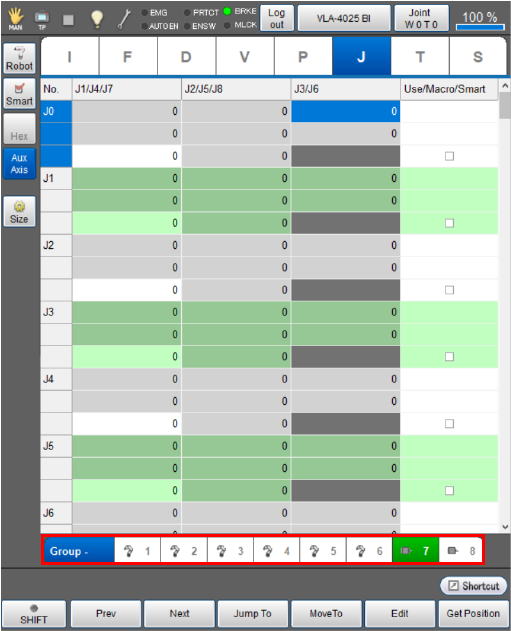
In this state, pressing [Get Position] displays the confirmation window to obtain the position data.
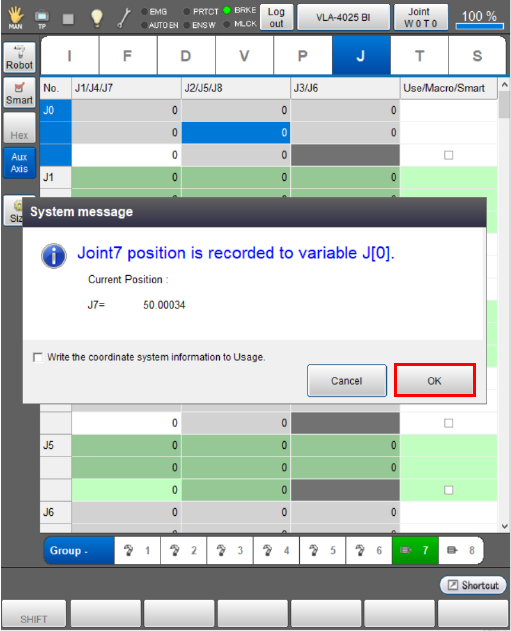
Press [OK] to obtain only the auxiliary axis position data.
Use J-type and P-type Variables to Obtain the Positions of Auxiliary Axes and Robot Joints Collectively
In obtaining target positions, registering robot joints and auxiliary axes in the same arm group enables you to store the current robot joint position data in P-type variables and only the current auxiliary axis position data in the same J-type variable number at the same time.
Get variables
1
Register in the same arm group the robot joints and the auxiliary axes of which current positions you intend to obtain.
For how to set an arm group, refer to [Register Auxiliary Axes in an Arm Group].
2
Top screen - [F3 Variables] - [P-type variables]
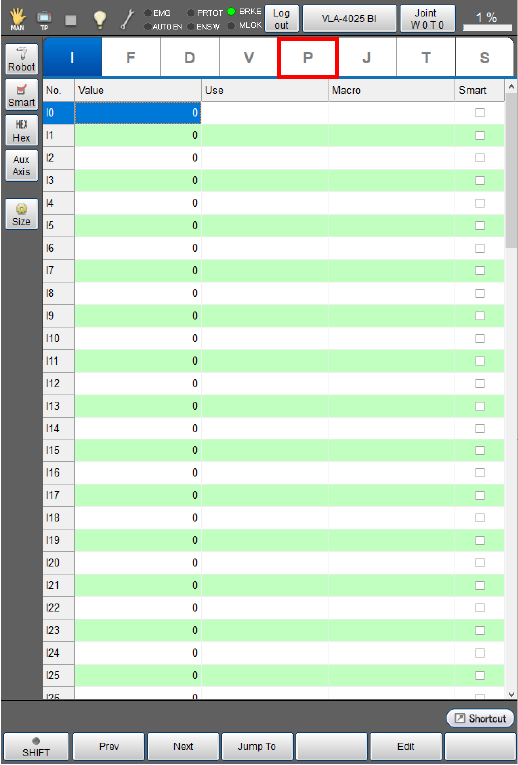
3
Click [ExJnt].
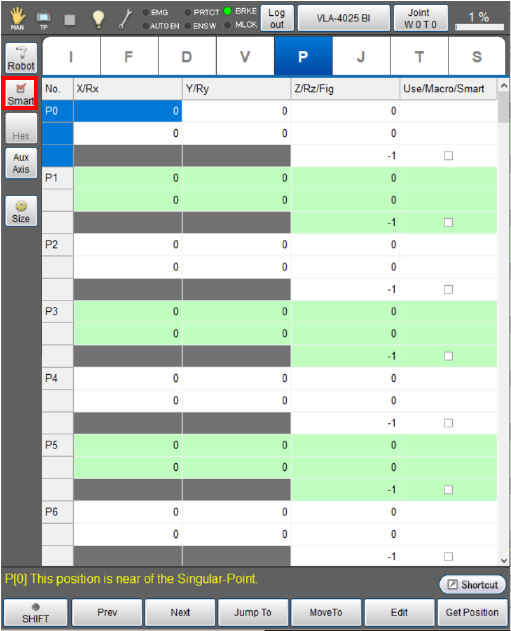
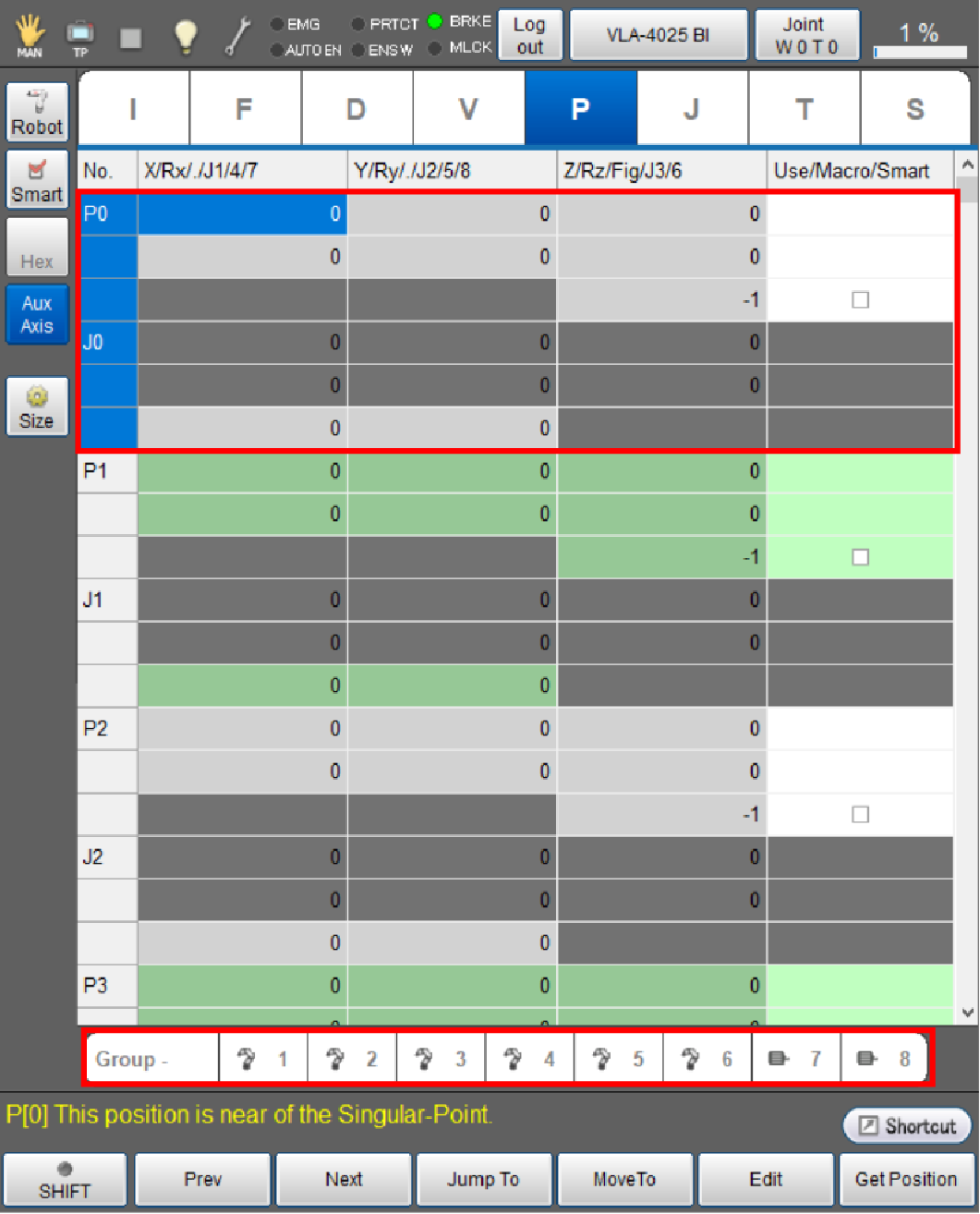
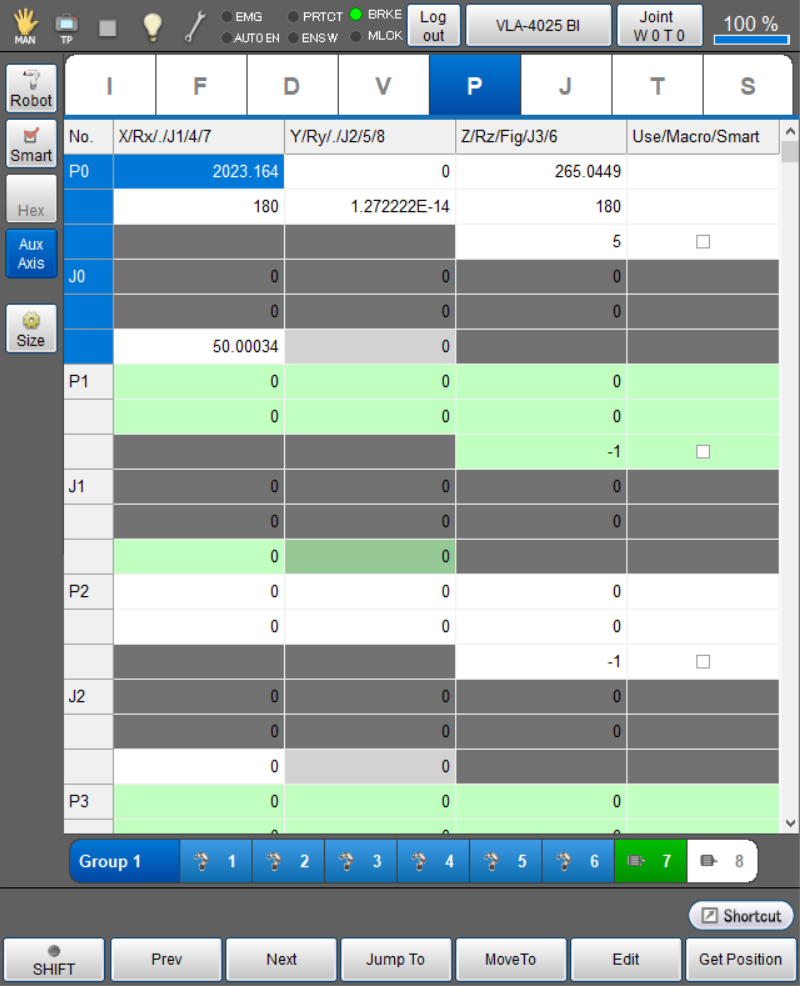
The display changes as follows.
- The display of the [No] column is changed from "P0, P1, P2..." to "P0, J0, P1...".
- Values of P-type variables and J-type variables are displayed in one table.
- The [Arm Group] bar is displayed on the bottom of the screen.
4
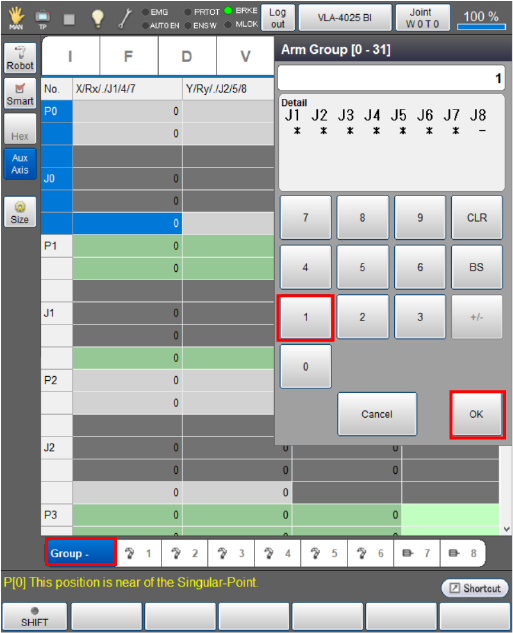
Press [Group -] to display a list of arm groups.
Use the displayed entry keypad to enter an arm group number that you intend to use, then press the [OK] button.
In this example, "Group 1" is selected.
5
Move the robot and the auxiliary axes to the intended positions.
6
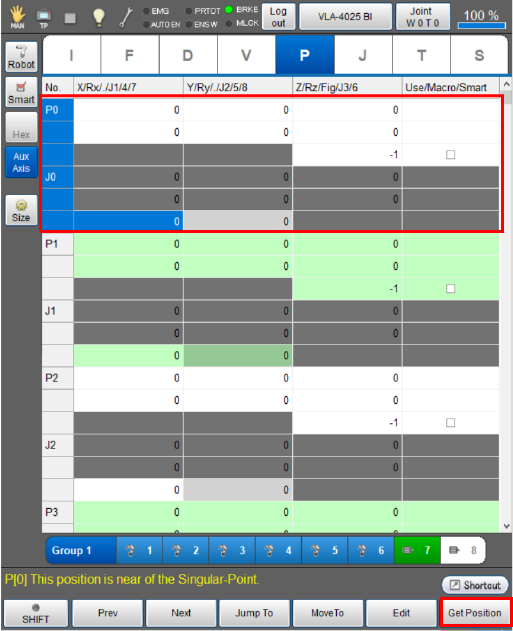
Select a variable to obtain position data, then press [F6 Get Position].
In this example, “P0 and J0” are selected.
7
A system message is displayed to confirm whether to store it in the variable. Press [OK] to store it.
The position data is not obtained if [Cancel] is pressed.
In this case, only the auxiliary axis position data is stored in J-type variables.
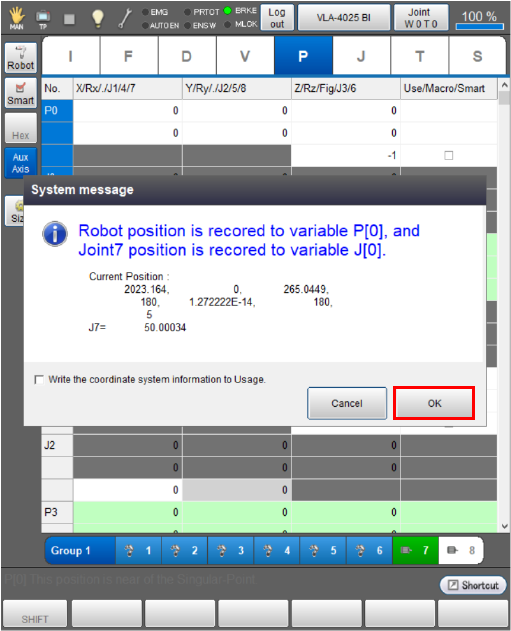
The stored position data is displayed as follows.
ID : 10967