
 HOME
HOME
ID : 10976
Execute CALSET
Release the brake of the auxiliary axis motor and move the auxiliary axis to the CALSET reference position.
Execute CALSET in the CALSET reference position, referring to the operation procedure shown below.
To change the CALSET reference position after executing CALSET, enter a RANG value with reference to “Path Parameter Setting”.
CALSET Procedure
1
Press Top Screen - [F2 Arm] - [F12 Maintenance] - [F7 CALSET].
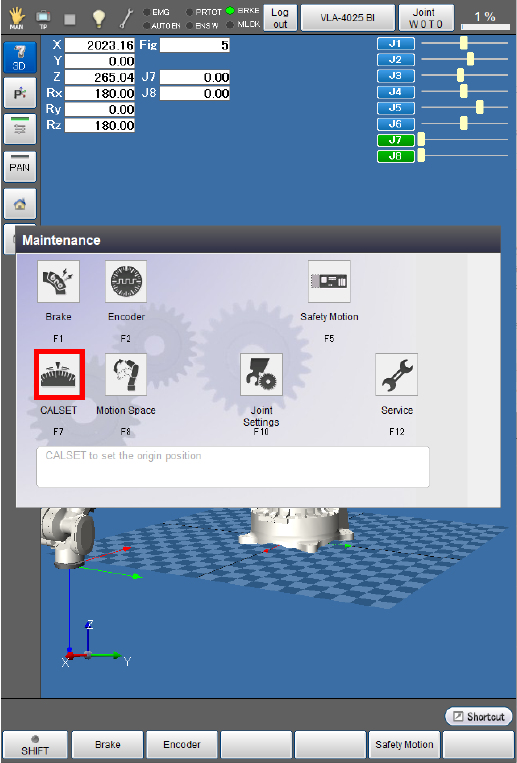
The [CALSET menu] window appears.
2
Press [F1 CALSET].
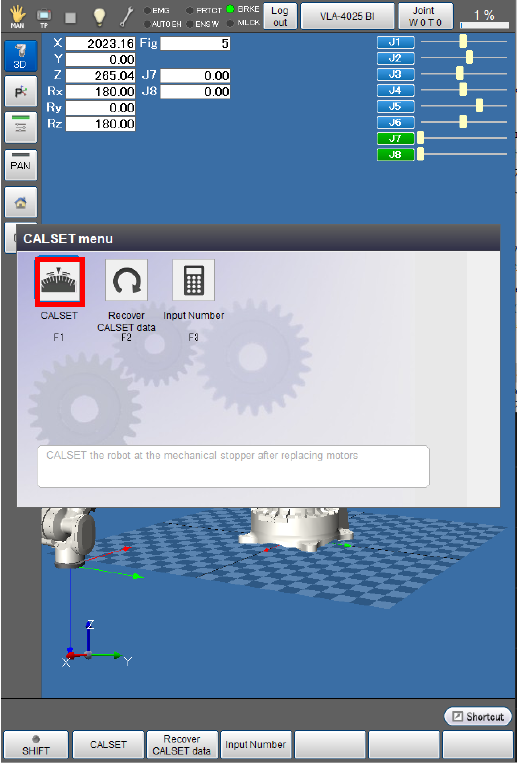
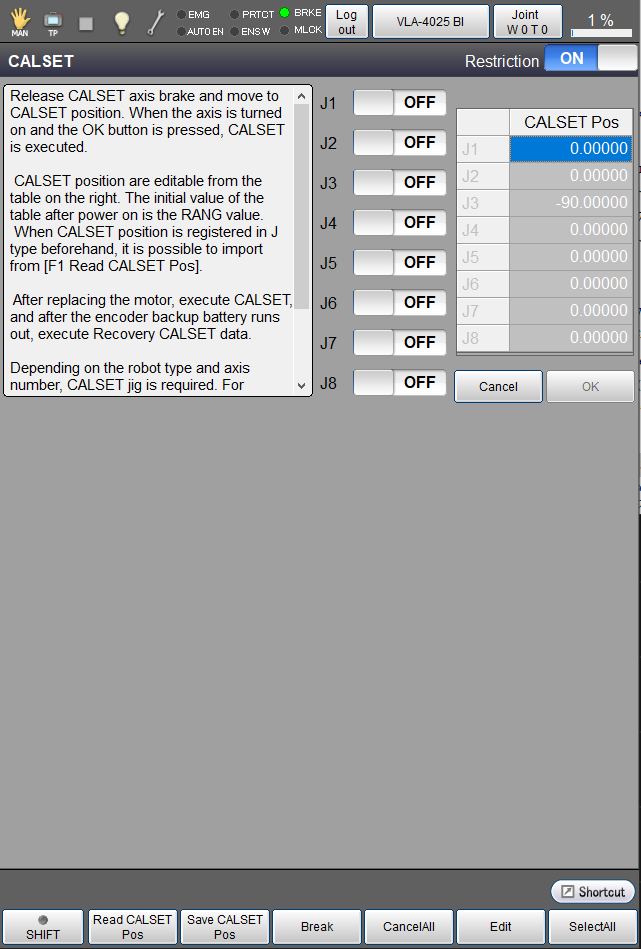
The [CALSET] window appears.
3
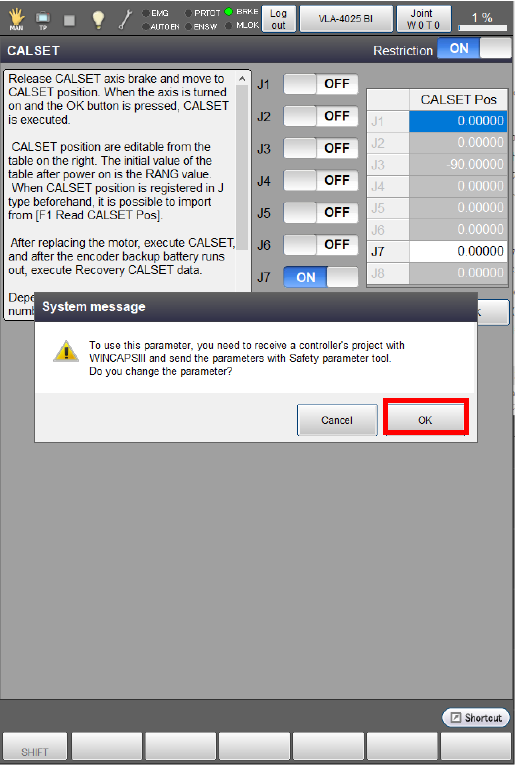
Select the auxiliary axis to perform CALSET and then press [OK]. The indicator of the selected button turns into "ON".
Selecting the 7th axis displays as follows.
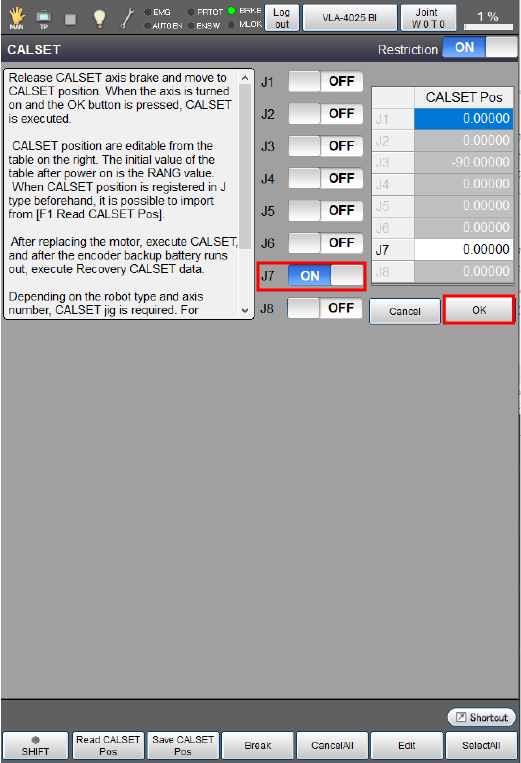
Pressing [OK] will take you to the screen below.
After executing CALSET, you need to send parameters by safety parameter tool.
4
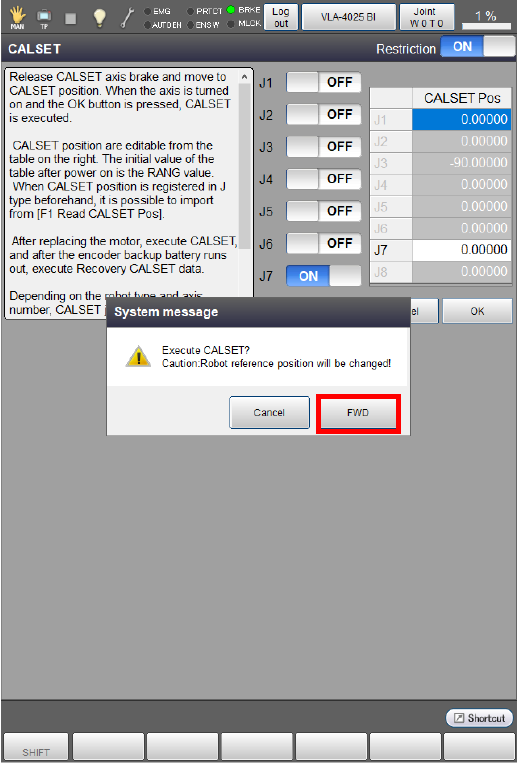
Pressing [OK] displays the system message below to ask whether to execute CALSET.
Press [OK] to execute CALSET.
CALSET will not be executed if [Cancel] is pressed.
5
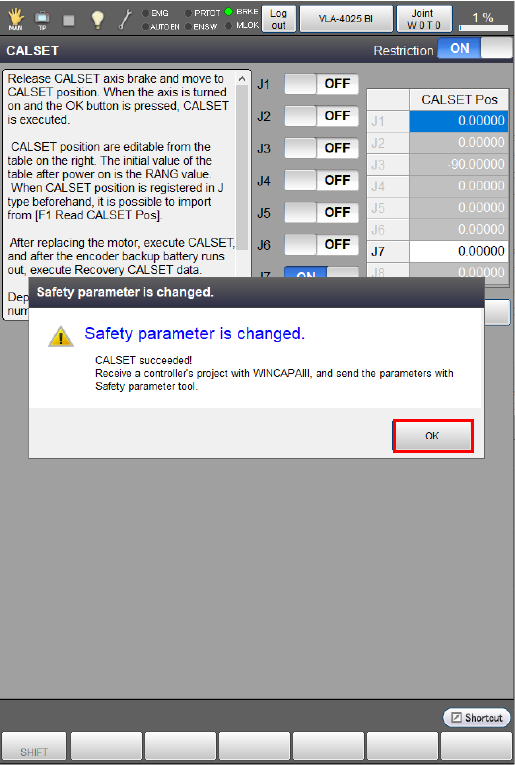
When CALSET is successfully completed, the following system message appears.
Press [OK] and follow the system message to send safety parameters.
ID : 10976