
 HOME
HOME
ID : 10985
Resetting the Encoder
If [8540467* *-axis:Encoder System Down] is displayed or [8540468* *-axis:Encoder over speed error] is displayed due to excessive impact at that time of the controller power off, the encoder must be reset and CALSET work must be done.
In CALSET work, there are “CALSET” and “Recover CALSET data”.
At the beginning of use, and if a motor is changed, execute ”CALSET” and in other cases, execute ”Recover CALSET data”.
When there is no errors, the following process is not required.
Operation Procedure for Resetting Encoders
This operation is available only when the currently logged-in account is granted user permission for "Maintenance".
1
Access: Top Screen — [F2 Arm] — [F12 Maintenance] — [F2 Encoder]
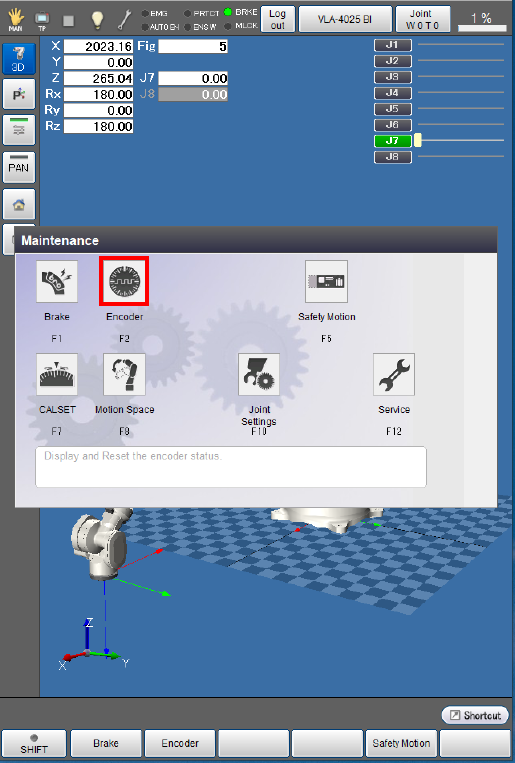
[Encoder setting window] is displayed.
2
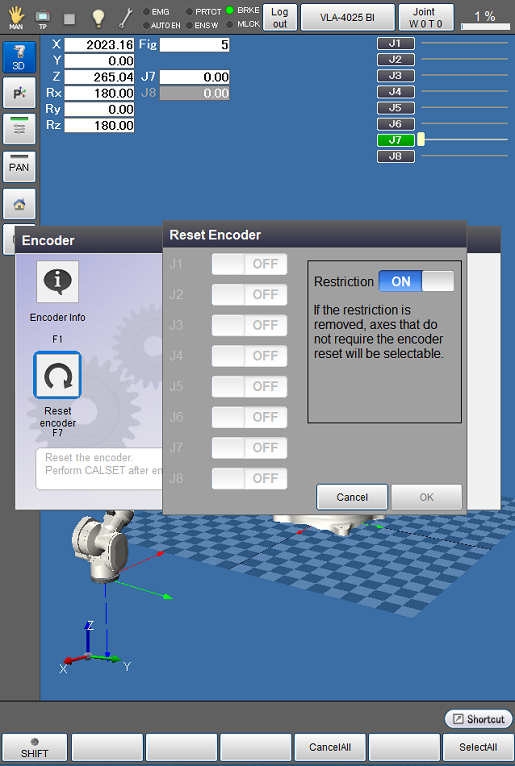
Press [F7 Reset encoder].

[Encoder reset setting window] is displayed.
3
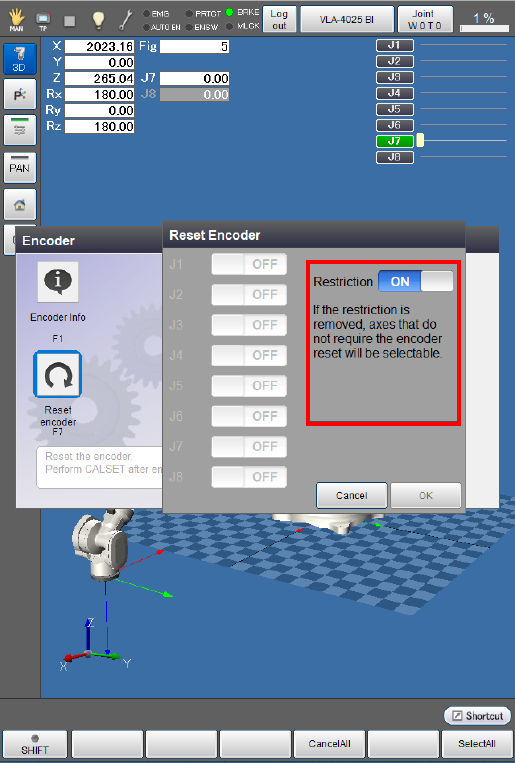
Turn off Restriction displayed at the right of the window, and press [OK].
4
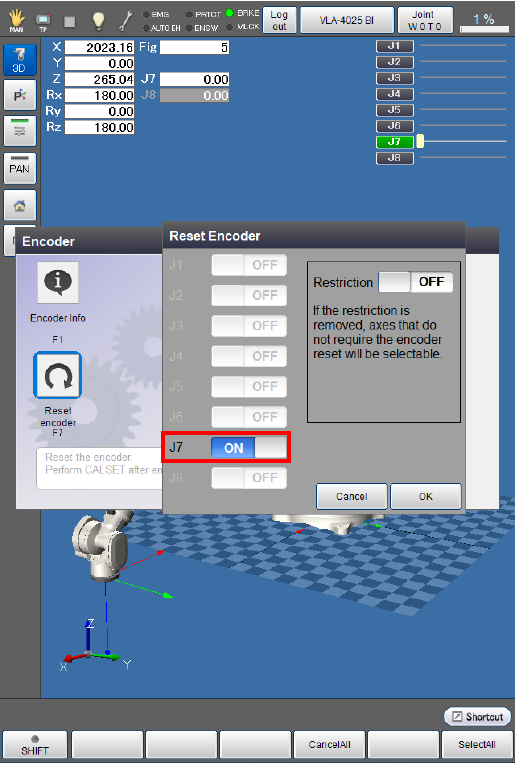
Press "OFF" button of the joint which issues an error. The indicator of the button turns into "ON".
The following example is the display when an error occurs in 7th axes.
When all encoder reset settings are completed, press [OK] button.
5
System message is displayed to confirm whether to execute the encoder reset. Press [OK] to execute.
Encoder reset is executed.
Encoder reset is not executed if [Cancel] is pressed.
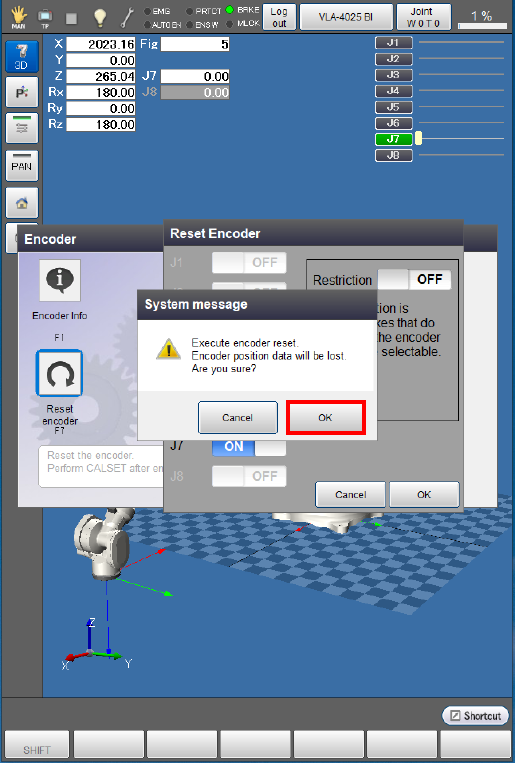
When the encoder reset is completed, [Encoder setting window] is displayed.
ID : 10985