
 HOME
HOME
ID : 11049
How to open the upper panel
1
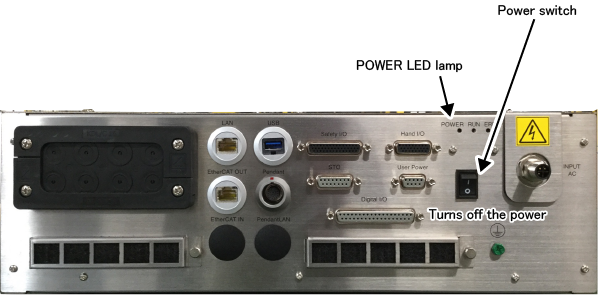
Turn OFF the MC9 series controller.
Set the power switch to OFF position (press the lower side). Check if the POWER LED is off.
2
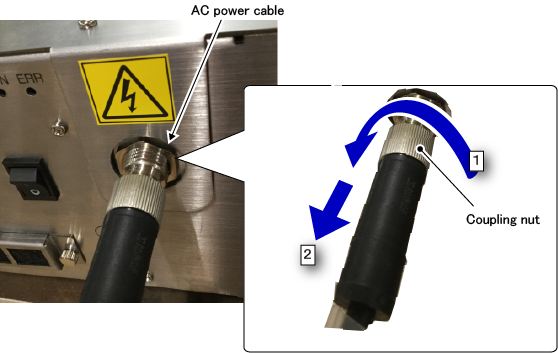
Remove the AC power cable.
- Turn the coupling nut anti-clockwise.
- Pull out the connector of the AC power cable.
3
Remove the upper panel fixing screws.

4
- Pull the upper panel toward you until the AC power connector comes out of the opening on the side of the upper panel.
- Slowly move the upper panel to the upper side and take the panel out.

This completes the operation.
ID : 11049