
 HOME
HOME
ID : 11051
How to close the upper panel
1
Check if the power switch of the MC9 series controller is "Power-off" state.
2
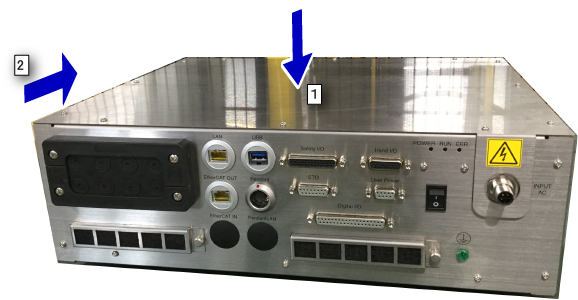
Install the upper panel to the MC9 series controller.
- Place the upper panel slightly above the opening of the upside of the MC9 series controller, and then cover the upper panel on the controller gently.
When covering the upper panel, bring the panel toward you slightly, to avoid contacting the AC power connector installation area of the upper panel with the connector. - Move the upper panel backward smoothly. Be sure not to catch the wirings inside of the MC9 series controller.
In this timing, pass the AC power connector through the hole of the upper panel.
3
Pass the screws through the holes of the upper panel, and tighten them up.
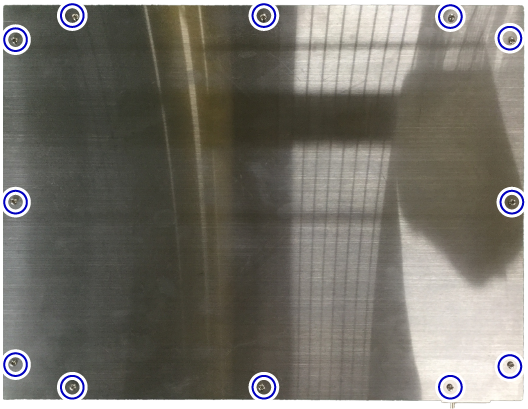
This completes the operation.
ID : 11051