
 HOME
HOME
ID : 11079
Arm Parameter Setting
Arm configuration parameters are provided for performing CP motions (linear) with joints being collaborated.
Setting through the Smart TP
1
Top screen - [F2 Arm] - [F12 Maintenance] - [F10 Joint Settings] - [F2 ArmSetting]
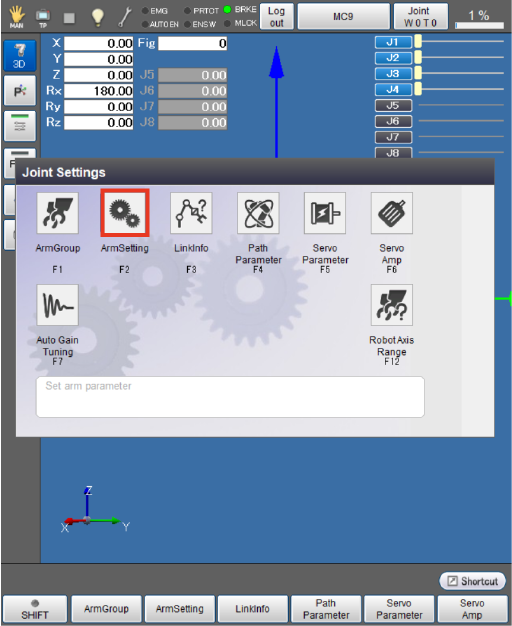
The [Arm Setting] screen appears.
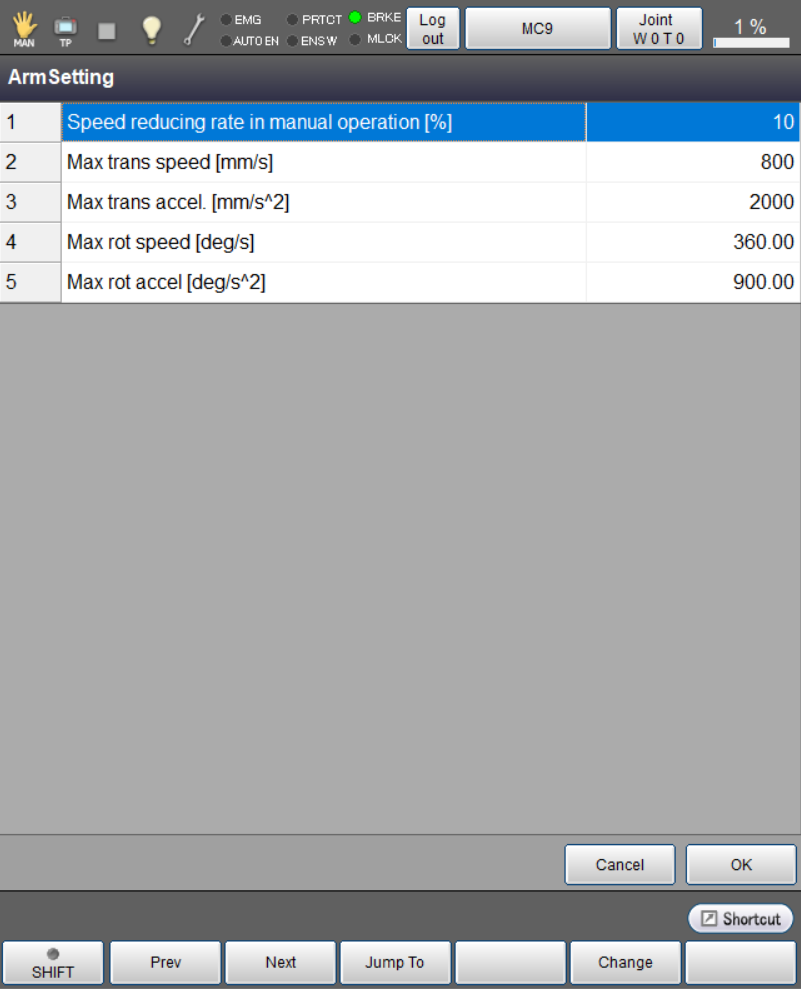
2
Change each arm parameter setting, then press [OK].
For detailed information about each parameter, see "Arm parameter list" shown below.
3
Once all parameter setting change is finished, press [OK].
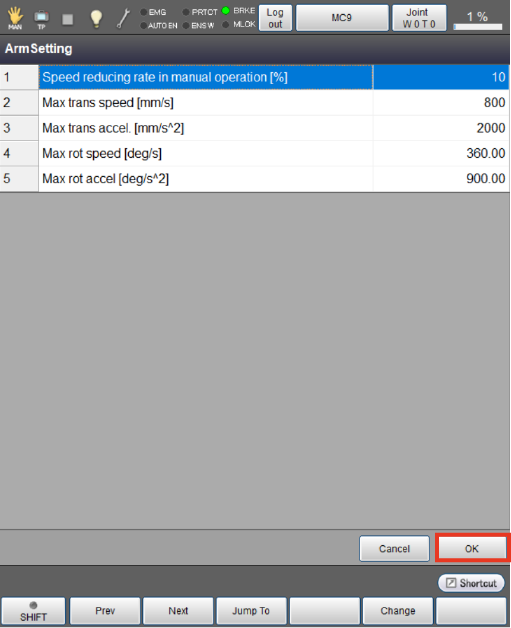
This will save the arm parameter setting and take you back to the [Joint Settings] screen.
You can specify the speed reducing rate in manual operation only through the smart TP.
Setting through WINCAPSIII
1
Operation path: [Project] - [Joint Setting Table]
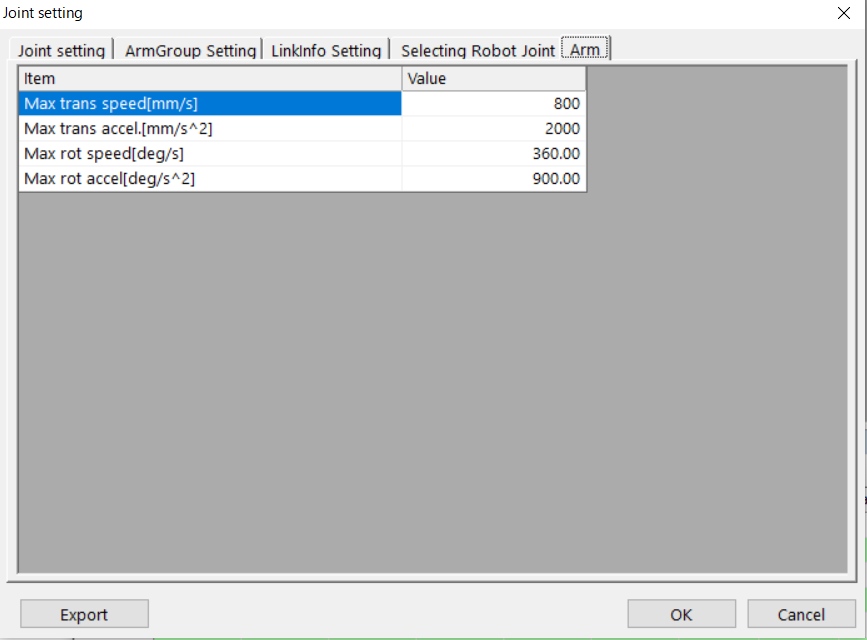
The [Joint Setting] window appears.
Select the [Arm] tab.
Specify the parameters and press [OK].
2
Select [Connect] - [Transfer data] to display the [Transfer data] window.
In WINCAPSIII, select [Parameter] - [Arm parameters] to transfer the data to the controller.
Arm parameter list
| Parameter name | Entry range | Factory default | Unit | Description |
|---|---|---|---|---|
| Speed reducing rate in manual operation | 1 to 50 | 10 | % | Limit the manual operation speed to 10 % or less of that in automatic operation. |
| Max trans speed | 1 to 100000000 | 800 | mm/s | Set the maximum translation speed in CP motion. |
| Max trans accel | 1 to 100000000 | 2000 | mm/s2 | Set the maximum translation acceleration in CP motion. |
| Max rot speed | 0.01 to 1000000 | 360.00 | deg/s | Set the maximum rotation speed in CP motion. |
| Max rot accel | 0.01 to 1000000 | 900.00 | deg/s2 | Set the maximum rotation acceleration in CP motion. |
ID : 11079
- Related Information
- Specify Speed Reducing Rate in Manual Operation