
 HOME
HOME
ID : 11275
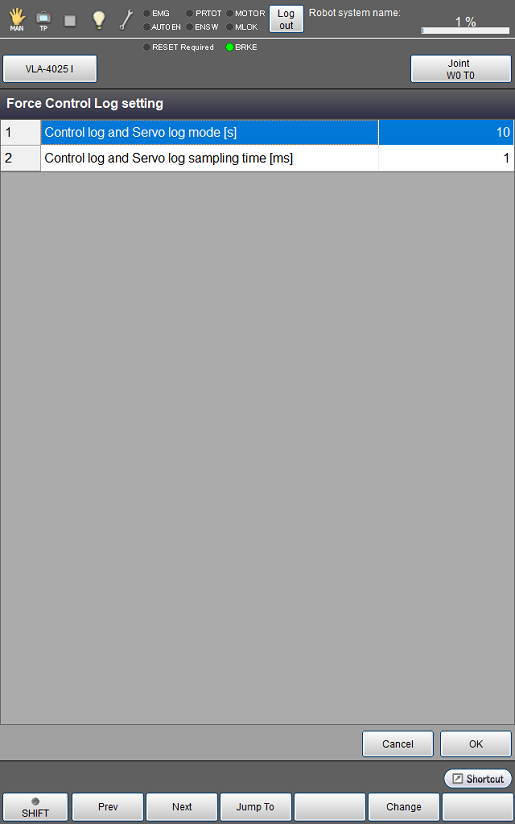
Force Control Log Setting
Operation path: [F2 Arm] - [F2 Force Control] - [F2 Force Control Log] - [F6 Setting]
Displays and changes the settings related to force control logging.
| No. | Parameters | Unit | Default | Description |
|---|---|---|---|---|
| 1 | Control log and Servo log mode | s | 10 | Determines the duration for keeping the control logs and servo logs. |
| 2 | Control log and Servo log sampling time | ms | 8 | Determines the intervals for keeping the control logs and servo logs. |
| Available function keys | |
|---|---|
| [F1 Prev] | Displays the previous page of the currently displayed force control log setting list. |
| [F2 Next] | Displays the next page of the currently displayed force control log setting list. |
| [F3 Jump To] | Displays a numeric key pad. Enter a number with the key pad and press [OK] to display the number. |
| [F5 Change] |
Selecting a value to change and pressing [Change] will display a numeric key pad or an entry window. |
ID : 11275