
 HOME
HOME
ID : 5358
I/O Setting
This section describes how to set the I/O port number that is connected to the sensor detecting workpiece, and the edge type.
Setting Procedure
1 Displaying the Number Selection Window
Press [I/O Number].
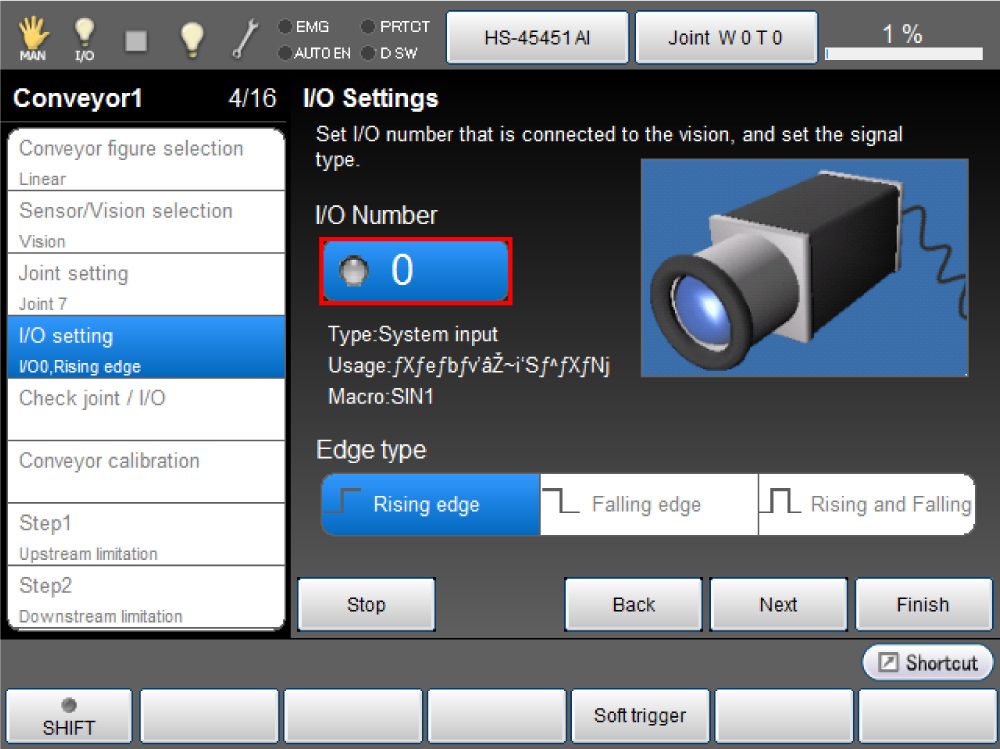
I/O setting window is displayed.
2 Setting Number
Enter the I/O number to use, then press [OK].
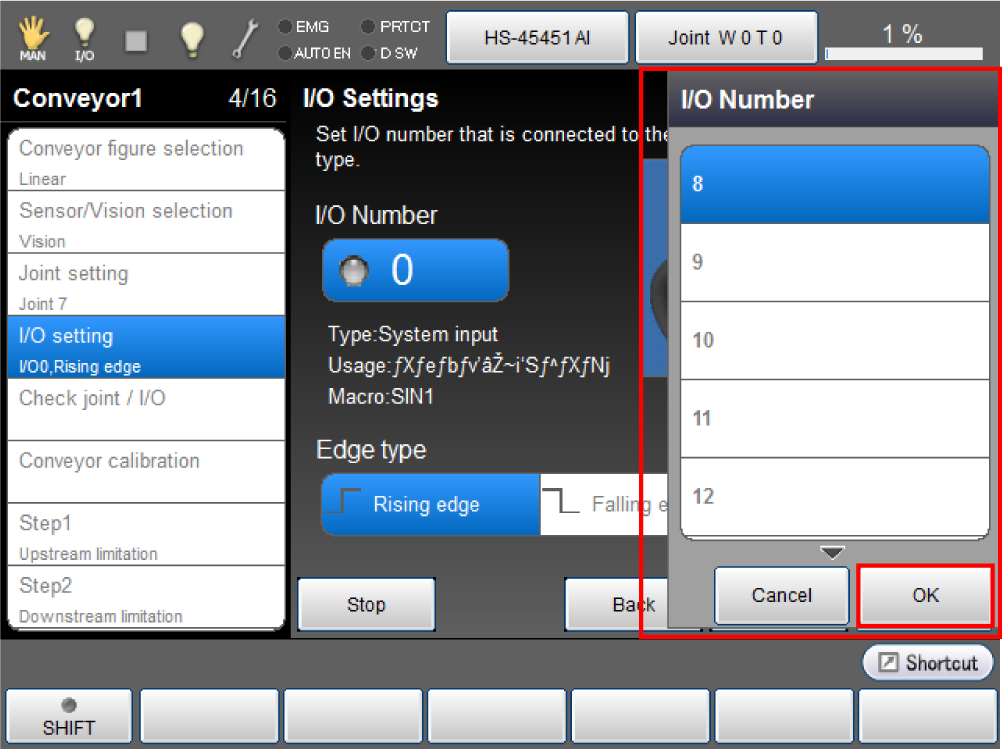
Available I/O numbers are listed below.
| User input | No.8 to 15 |
|---|---|
| Hand input | No.48 to 55 |
3 Setting the Edge Type
Choose desired [Edge type] then press [Next].
Edge type is selected.
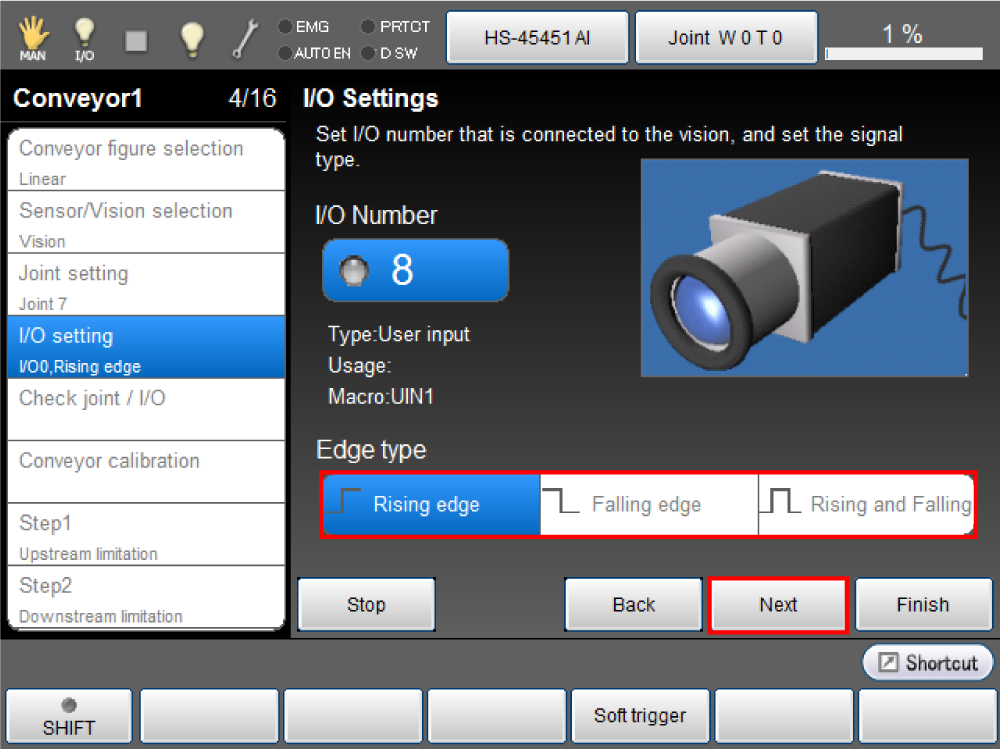
For details about each edge type, see the table below.
| Rising edge | To detect a workpiece at the rising edge |
|---|---|
| Falling edge | To detect a workpiece at the falling edge |
| Rising and Falling | To detect a workpiece at the rising edge and falling edge |
This continues to "Hardware Connection Confirmation".
ID : 5358