
 HOME
HOME
ID : 18054
Project Data Transference
Transfer the project data to the PLC.
1
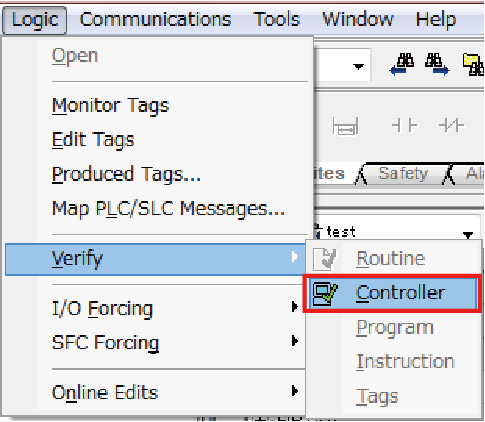
On the menu bar, click [Logic], point to [Verify], and then select [Controller] to check errors.
2
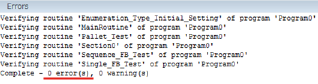
With the displayed log, check if there are no errors.
3
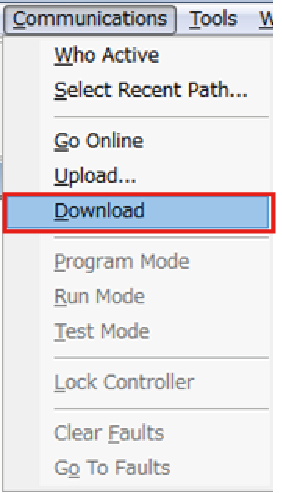
On the menu bar, click [Communications], and then click [Download].
4
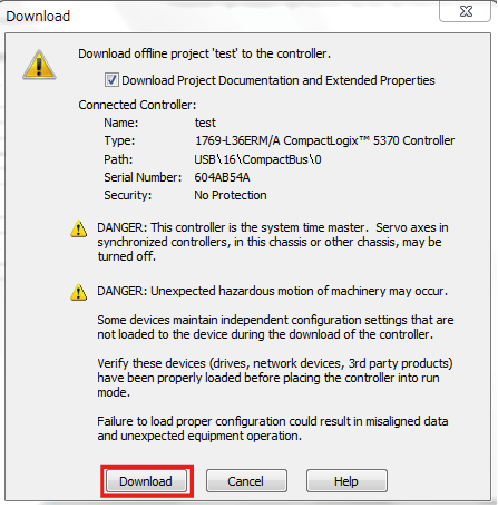
Click [Download] to start the project writing in the PLC.
5
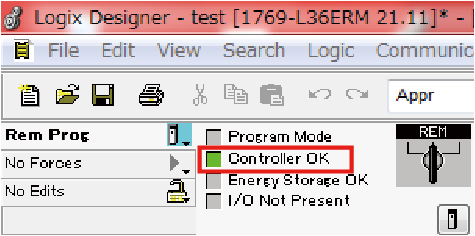
Check that the project is set to the online state.
6
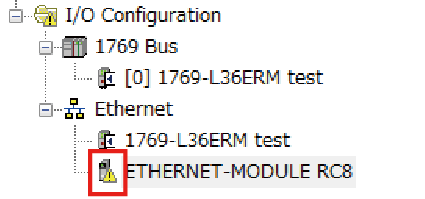
In the [Controller Organizer], open [I/O Configuration] folder. Check if the robot controller ETHERNET-MODULE communication is set properly.
If an error occurs, you will see a caution symbol on the icon as the figure below.
ID : 18054