
 HOME
HOME
ID : 9713
Brake Setting
Operation path : [F2 Arm] - [F12 Maintenance] - [F1 Brake]
This screen appears only when the currently logged-in account is granted user permission for "Maintenance".
Set brake for each joint of robot.
Press [F1 Brake] to display the following [Brake setting] window.
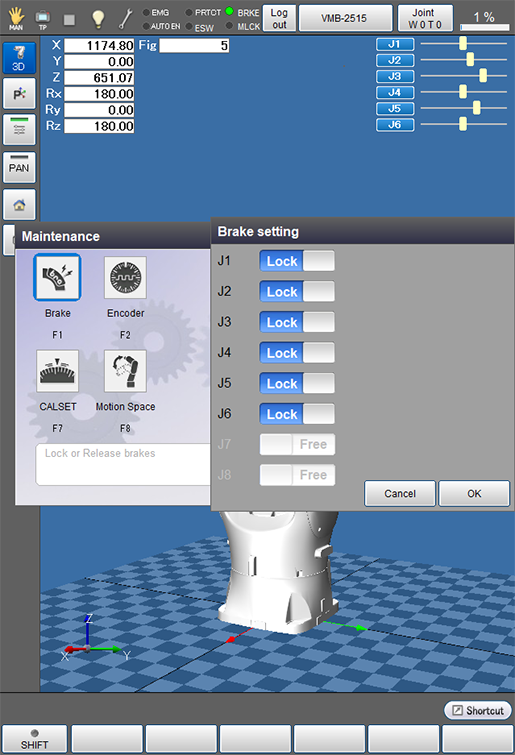
You can select unlock or lock of the brake by directly touching the Lock/Free display of corresponding joints on the smart TP. It is possible to unlock only one joint at a time.
If you change the setting from lock to unlock, press the [FWD] button with pressing the enabling switch.
Also, hold down the enabling switch during unlock. If you release the enabling switch, the joint is locked.
The brake of robot is actually unlocked or locked at the timing of the [FWD] button is pressed with pressing the enabling switch after [OK] is pressed in the [Brake setting] window.
ID : 9713