
 HOME
HOME
ID : 9712
Displaying and Setting the Arm Maintenance Functions
Operation path: [F2 Arm] - [F12 Maintenance]
Display the menu associated with settings required to move robot and maintenance of the robot.
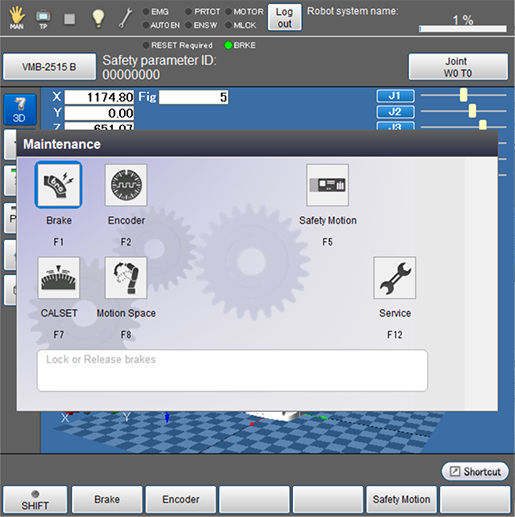
Press [F12 Maintenance] to display the following [Maintenance] window.
| Available function keys | |
|---|---|
| [F1 Brake] (*1) | Set the lock/release of brake. |
| [F2 Encoder] | Perform the settings associated with encoder including the display of information on encoder and the reset of encoder. |
| [F5 Safety Motion] | Check “Monitor” and register a reference position. |
| [F7 CALSET] (*1) | Work on CALSET. |
| [F8 Motion Space] | Set the software motion limit for each joint. |
| [F12 Service] (*1) | Set the service function. |
(*1) This key is available only when the currently logged-in account is granted user permission for "Maintenance".
ID : 9712