
 HOME
HOME
ID : 9774
Displaying the Option Settings Menu
Operation path: [F6 Setting]-[F8 Option]
Display menu for optional functions.
Press [F8 Option] to display the following [Option] window.
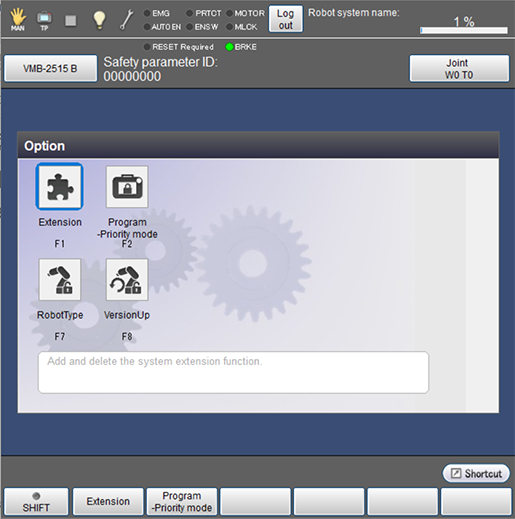
| Available function keys | |
|---|---|
| [F1 Extension] | Add optional functions to the controller. |
| [F2 Program-Priority Mode] (*1) | Start the Program Priority mode. |
| [F7 RobotType] (*2) | Change the robot type through WINCAPSIII. |
| [F8 VersionUp] (*2) | Permit the upgrade of the robot controller version. |
- (*1) Available only when the currently logged-in account is granted user permission for "Programming" or "Maintenance".
- (*2) Available only when the currently logged-in account is granted user permission for "Maintenance".
ID : 9774
- Related Information
- Displaying and Adding/Deleting Function Extension Screen
- Program Priority Mode