
 HOME
HOME
ID : 11239
Setting
Mounting the Slave Terminal
For how to mount the CC-Link slave terminal, refer to "Connecting Method" in "I/O Options".
Robot Controller Function Extension
To use the CC-Link slave terminal, you need to extend the robot controller function.
To extend the function, register a license in the robot controller using Smart TP or WINCAPSⅢ. For details, refer to "Registering License".
If purchased together with a license, the robot controller will be shipped with the function expansion completed.
Specifying the Communication Parameters
Specify the communication parameters appropriately for the components and environment.
| Items | Details |
|---|---|
| Robot Controller Setting | Configure a device using WINCAPSIII. Select a device and specify input/output sizes and IP address. |
| Master Setting | Specify for the master the same parameters that you specified for a device in WINCAPSIII. |
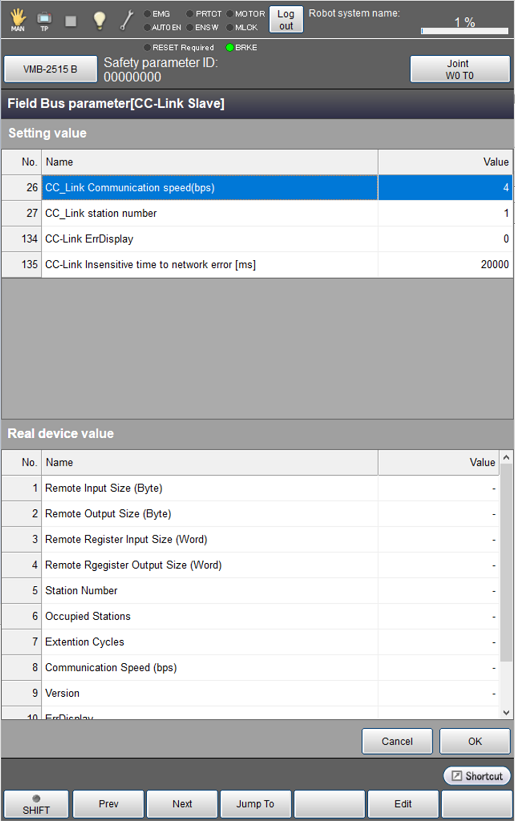
Checking the Setting
To check the device information of the CC-Link slave terminal and the information specified with the robot controller, follow the Smart TP operation path below.
Top screen - [F4 I/O] - [F6 Aux] - [F4 Field bus parameter]
ID : 11239
- Related Information
- Robot Controller Setting
- Master Setting