
 HOME
HOME
TrackStartArea
Function
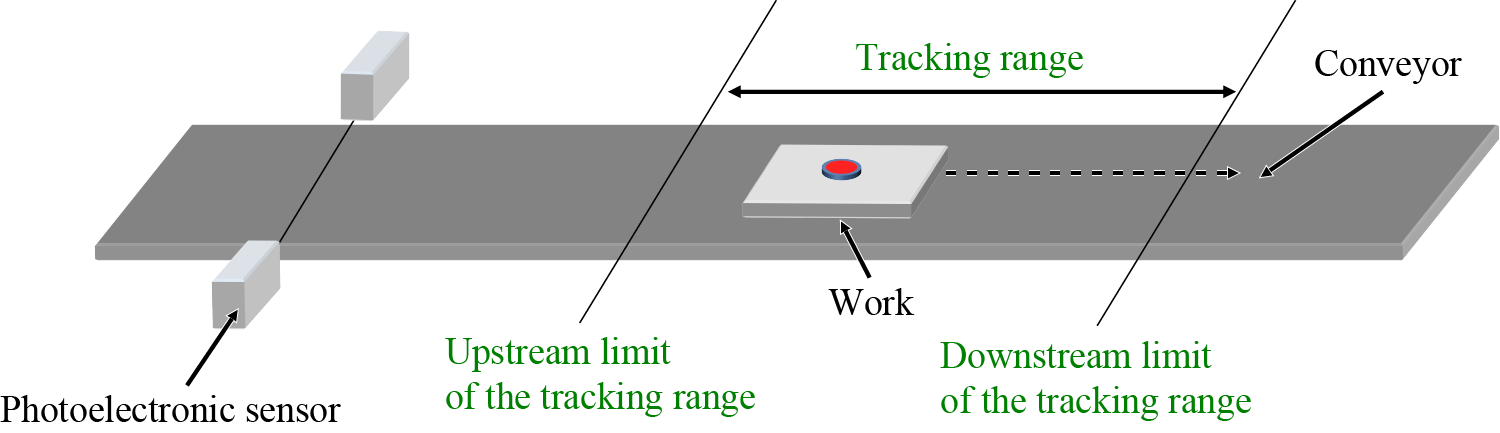
Configures the tracking range.
Syntax
TrackStartArea Conveyor number, The upstream limit of the tracking range,
               The downstream limit of the tracking range
Guaranteed Entry
- Conveyor number
-
Specifies the conveyor number (1 or 2) to be used by integer type data.
- The upstream limit of the tracking range
-
Specifies by integer type data.
- The downstream limit of the tracking range
-
Specifies by integer type data.
Description
Set the upstream limit of the tracking range and downstream limit of the tracking range.
When setting the tracking range, you need to take the conveyor speed and the maximum reach of the robot arm into consideration.
Related Terms
TrackArrivalTime, TrackCount, TrackCurPos, TrackCurStartArea, TrackInRange, TrackOffsetMargin, TrackStandByPos, TrackTargetPos, Commands for Conveyor Tracking
Attention
- This is exclusive command for the conveyor tracking.
Example
Set the value of the upstream limit of the tracking range at 500mm and the value of the downstream limit of the tracking range at 800mm.
TrackStartArea 1, 500, 800