
 HOME
HOME
TrackOffsetMargin
Function
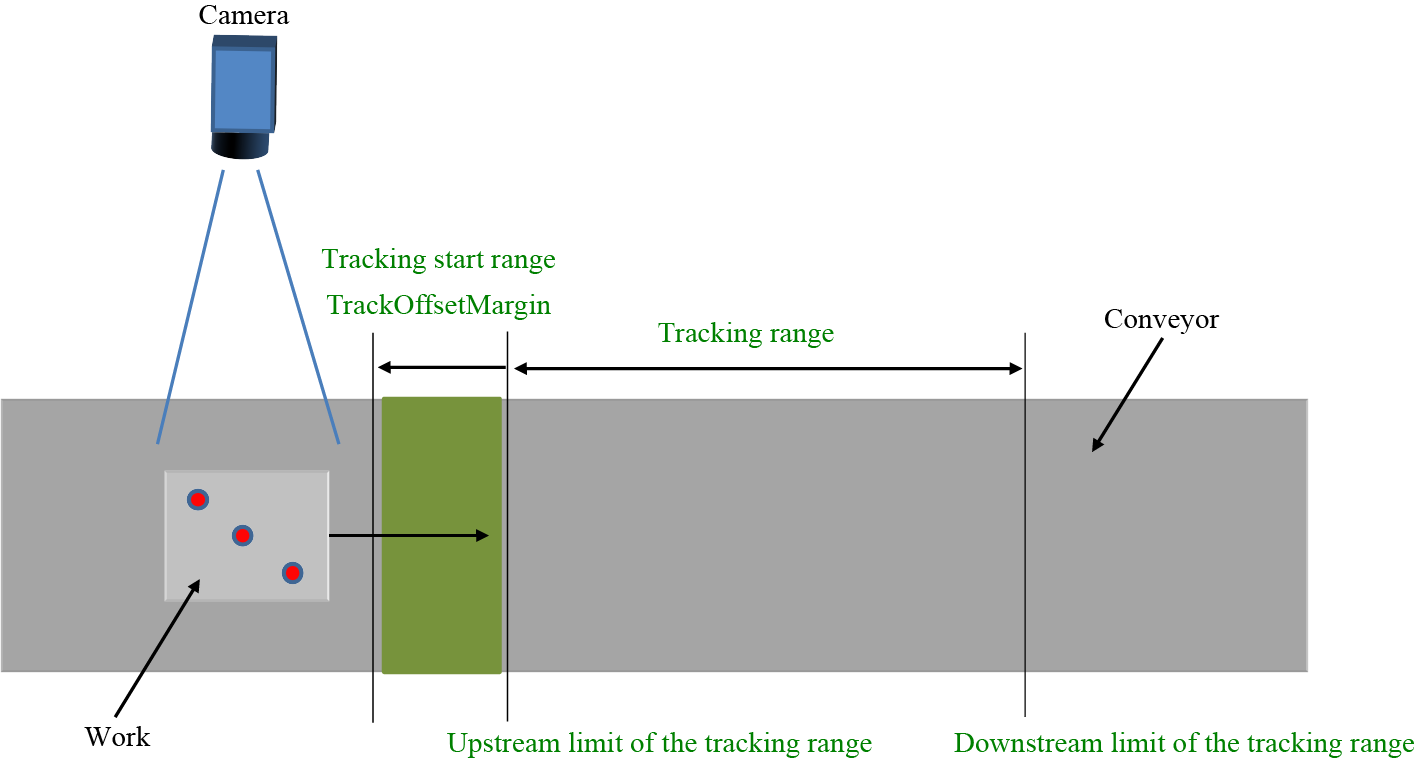
In order to define the tracking start range, specify the offset value from the upstream limit of the tracking range.
Syntax
TrackOffsetMargin Conveyor number, Offset value
Guaranteed entry
- Conveyor number
-
Specifies the conveyor number (1 or 2) to be used by integer type data.
- Offset value
- Specify an offset value from the upstream limit of the tracking range that is used to define the tracking start range.
The value is specified with negative value of double-precision real type data by millimeter-unit.
If positive value is specified, the offset is set to the downstream side.
Description
In order to define the tracking start range, specify the offset value from the upstream limit of the tracking range.
Related Terms
TrackMinimumIntervalLength、 TrackStartArea、 TrackCurStartArea、 TrackTargetPos、 Commands for Conveyor Tracking
Attention
- This is exclusive command for the conveyor tracking.
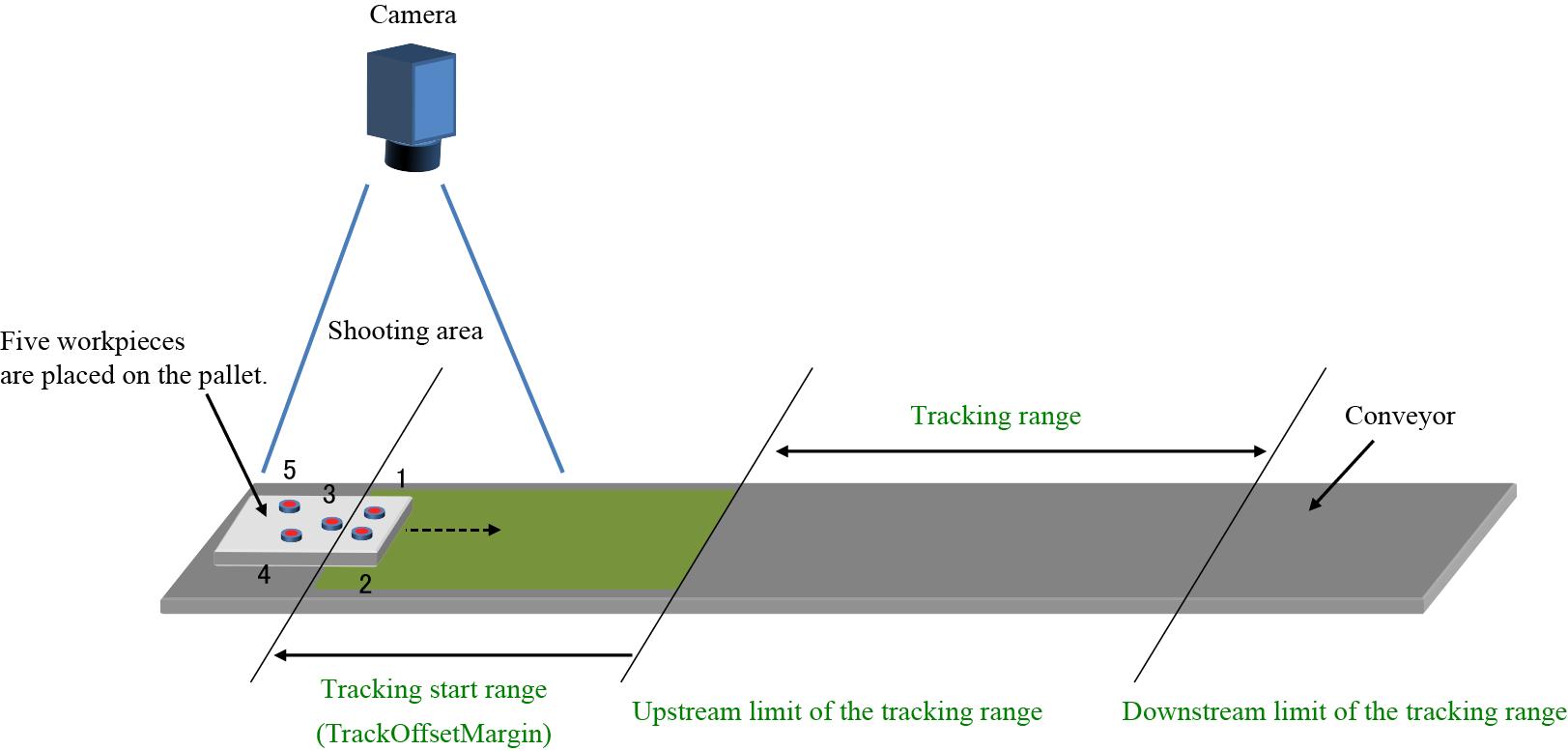
- Avoid overlapping the shooting area and the tracking start range.
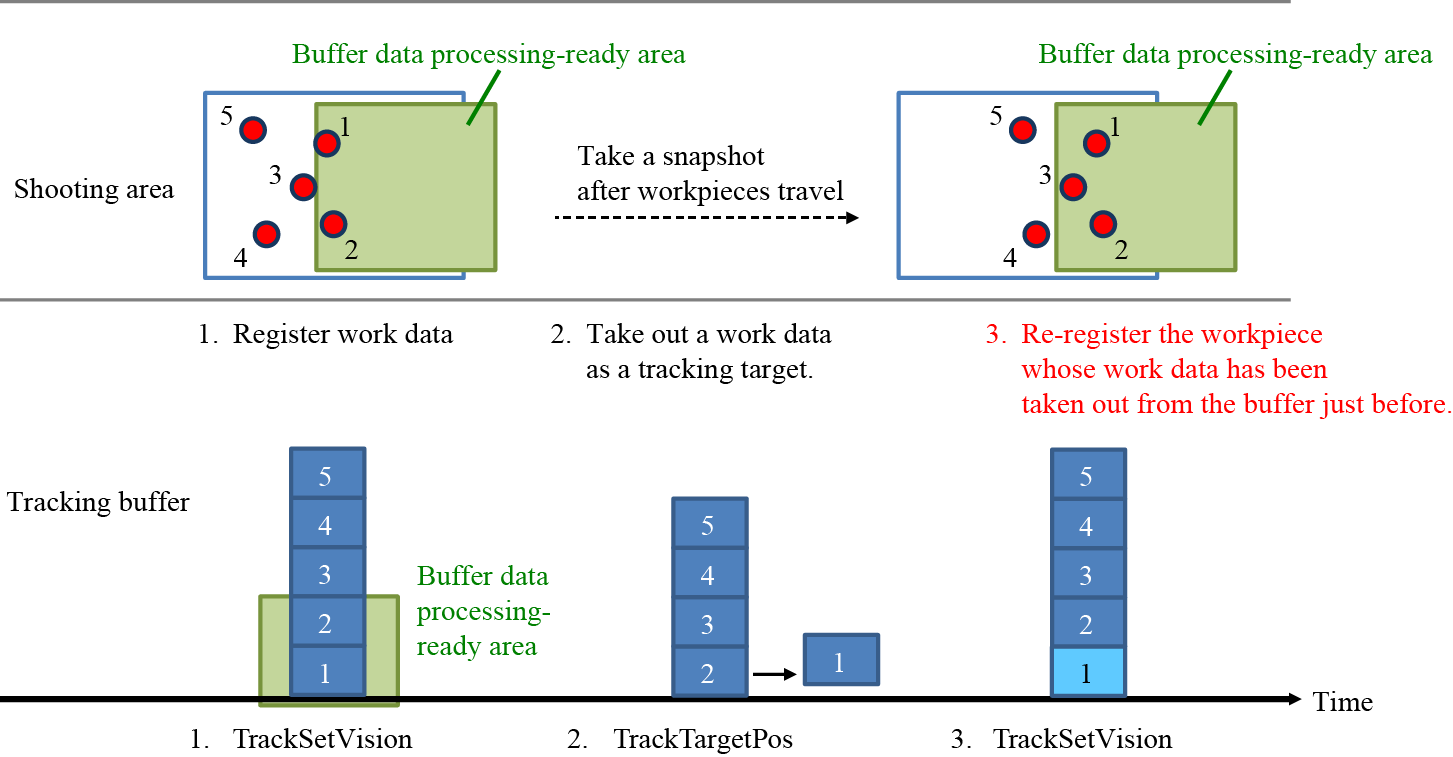
Registration overlapping prevention function, which prevents multiple registration of an identical workpiece, is set by the parameter setting of “Minimum interval length of work detection”. This function is effective only when the target workpiece has already existed within the tracking buffer area.
If the tracking start range is overlapped with the shooting area, a workpiece data which has been registered in the tracking buffer may be immediately taken out as a tracking-target workpiece data.
In this case, the workpiece that has been taken out from the tracking buffer may be counted in the buffer area again because the sensor cannot distinguish the taken-out workpiece and the newly counted one as different workpiece. As a result, the registration overlapping prevention function cannot work properly, leading to the unintentional re-registration of workpieces.
Example
TrackStratArea 1, 500, 800
TrackOffsetMargin 1, -100
In this example, the tracking start range is 100 mm upstream of the upstream limit of the tracking range.