
 HOME
HOME
ID : 9686
Displaying Folder or Contents of the File
Operation path : [F1 Program] - [F11 Display]
Display the folder selected from the program list or contents of file.
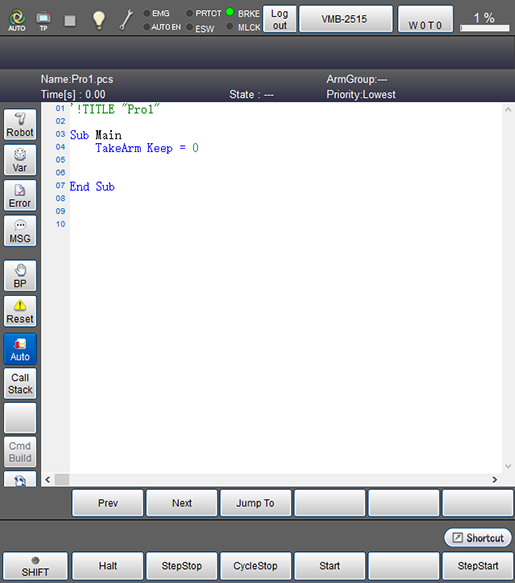
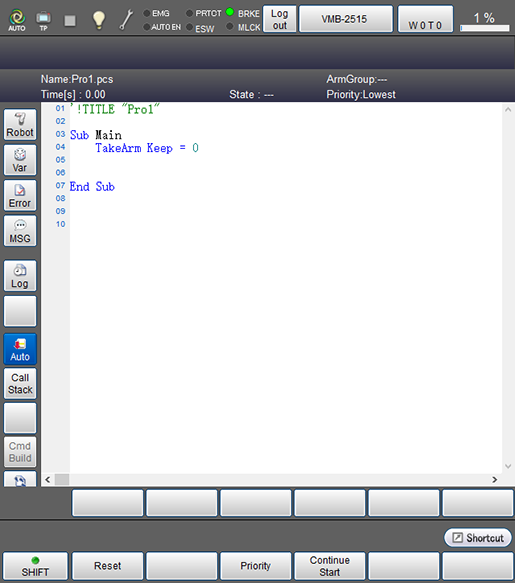
Press [F11 Display] to display the folder selected from the program list or contents of file as shown below.
- When [Shift] is not pressed.
- When [Shift] is pressed.
| Available function keys | |
|---|---|
| [F1 Halt] (*) | Halt the program being executed. |
| [F2 StepStop] (*) | Execute step stop of the program being executed. |
| [F3 CycleStop] (*) | Execute cycle stop of the program being executed. |
| [F4 Start] (*) | Execute single-cycle start or continuous start of the selected program. |
| [F6 StepStart] (*) | Execute single-step start of the selected program. |
| [F7 Reset] (*) | [Program reset] window opens. Select either "Only this program" or "All programs", and press [OK] to reset the target program. |
| [F9 Priority] (*) | System message to set the priority will be displayed. Select either of lowest, low, normal, high, and highest, and press [OK] to change the priority of the selected program. |
| [F10 Continue start] (*) | Execute continue start of all programs that are under suspension. |
| Keys other than function keys | |
|---|---|
| Robot |
Display 3D image of the robot during the machine lock. |
| Var | Monitor variables in the program. |
| Error | Display syntax error log information. |
| MSG | Output message. |
| BP |
Set breakpoint. System message [BreakPoint Setting] will be displayed. Select either [Set BreakPoint] or [Clear all BreakPoints in the project] in the message, and press [OK] to set or cancel the break point. If the breakpoint is set in null line, proess does not stop at the breakpoint. |
| Reset | [Program reset] window opens. Select either "Only this program" or "All programs", and press [OK] to reset the target program. |
| Auto |
Switch the auto scroll settings ON and OFF. When this option is ON, the button lights blue.
|
| Call Stack | Display a history of program call. |
| Cmd Build | With this function, some commands are automatically entered. You can enter necessary parameters at a time. This item is available in Auto mode. |
| Trace | Display trace log to record the flow and timing of program execution. |
| Log |
In this button, start, stop and clear of trace log, control log and servo log are available.
|
| Prev | Display the previous page of the currently displayed program. |
| Next | Display the next page of the currently displayed program. |
| Jump To |
Move to the specified line. Numeric keypad will be displayed. Enter the line number with numeric keypad, and press [OK] to move to the specified line. |
ID : 9686
- Related Information
- Displaying the Trace Log
- Call Stack Window