
 HOME
HOME
ID : 9723
Manual Input Operation of RANG and CALSET Values
Operation path : [F2 Arm] - [F12 Maintenance] - [F7 CALSET] - [F3 Input Number]
This screen appears only when the currently logged-in account is granted user permission for "Maintenance".
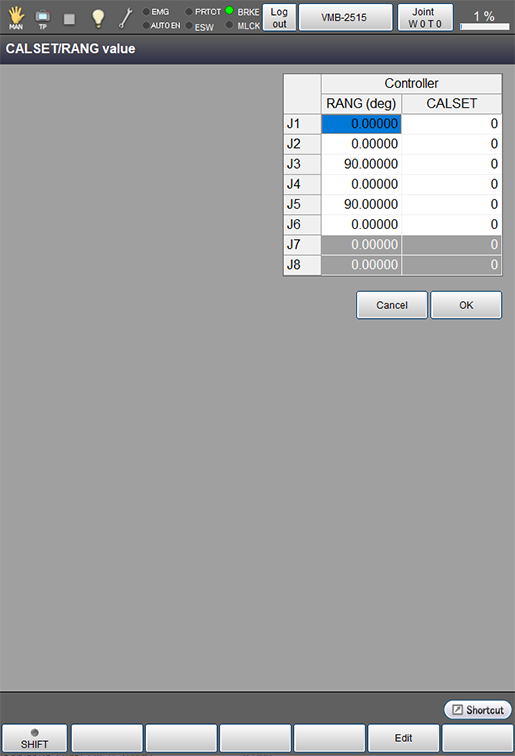
Enter RANG and CALSET values of robot directly from numeric keypad to set them.
This is an effective method when RANG and CALSET values of robot to use are known in advance.
Press [F3 Input Number] to display the following [CALSET/RANG value] window.
| Available function keys | |
|---|---|
| [F5 Edit] |
Select the item to change the value, and press [Edit] to display a numeric keypad. The selected item will be highlighted. |
ID : 9723