
 HOME
HOME
ID : 9720
Displaying CALSET Operation Menu
Operation path: [F2 Arm] - [F12 Maintenance] - [F7 CALSET]
This operation is available only when the currently logged-in account is granted user permission for "Maintenance".
Display the menu associated with CALSET operation of robot.
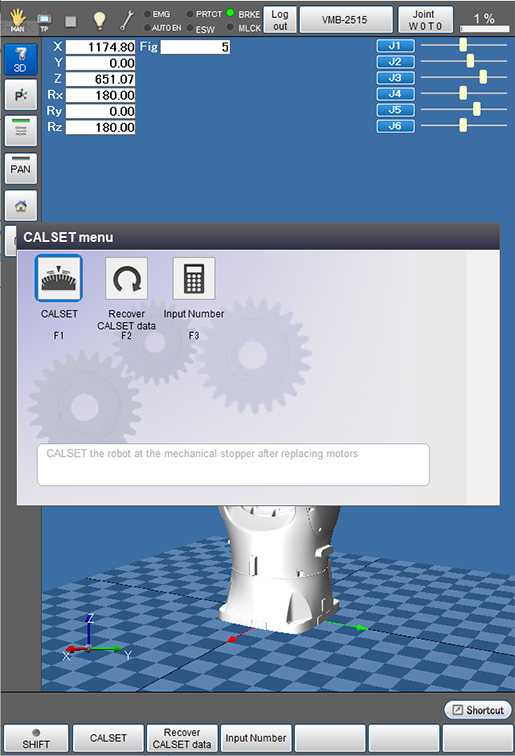
Press [F7 CALSET] to display the following [CALSET menu] window.
| Available function keys | |
|---|---|
| [F1 CALSET] |
This CALSET is done when motor is replaced. |
| [F2 Recover CALSET data] |
This CALSET is done when encoder system down occurs. Bring the joint, where the system failure occurred, to the near mechanical end, and press [Recover CALSET data] to restore encoder condition similar to the original condition. |
| [F3 Input Number] | Enter the robot RANG and CALSET values already known using the numeric keypad. |
ID : 9720