
 HOME
HOME
ID : 9739
Displaying Auxiliary Functions Menu (I/O)
Operation path: [F4 I/O] - [F6 Aux]
Display auxiliary functions menu for I/O.
Tap [F6 Aux] to display the following [Auxiliary Functions - I/O] window.
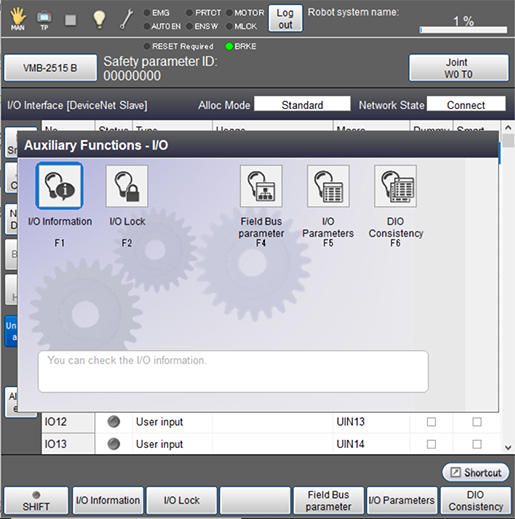
| Available function keys | |
|---|---|
| [F1 I/O Information] | Display I/O information. |
| [F2 I/O Lock] |
Set the range to regulate I/O output. |
| [F4 Field Bus parameter] |
Set a field bus parameter. This menu is displayed when using a field bus. |
| [F5 I/O Parameters] | Set I/O parameters. |
| [F6 DIO Consistency] | Check the digital I/Os cosistency between the WINCAPSIII and a robot controller. This key appears only when the currently logged-in account is granted user permission for "Programming" or "Maintenance". |
ID : 9739