
 HOME
HOME
ID : 9718
Displaying the Encoder Reference Position
Operation path: [F2 Arm] - [F12 Maintenance] - [F2 Encoder] - [F2 Encoder reference]
This operation is available only when the currently logged-in account is granted user permission for "Maintenance".
Display the encoder reference position state.
Press [F9 Encoder reference] to display the following [Encoder reference position] screen.
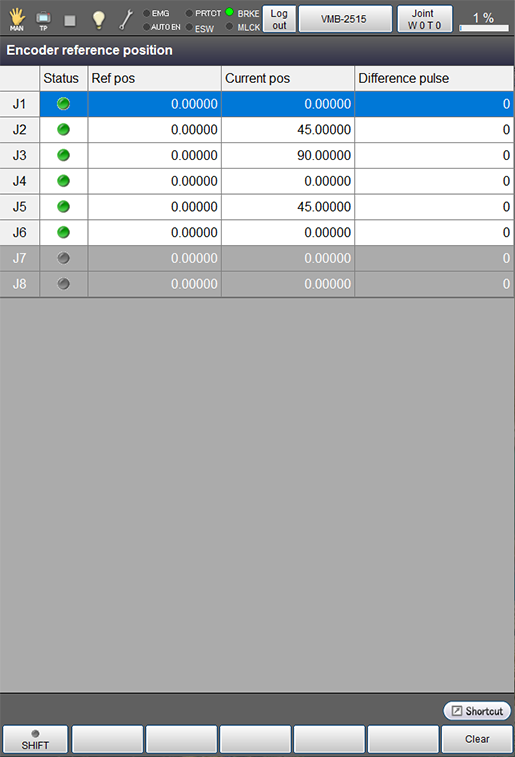
| Available function keys | |
|---|---|
| [F6 Clear] | Clear the encoder reference position. |
If you clear the encoder reference position, a serious error occurred in the encoder will be cleared. However, note that this operation could cause abnormal operation of the robot.
ID : 9718